Chat with student ( Doubt/Uploads )
-
Student Side
-
Teacher Side
-
Group Discussion
Student Side-
If a student is having doubts then he can directly ask his doubts to the teacher.Teacher Side -
This feature will help both student and teacher to communicate. If the teacher is not available on that time then he/she will receive notification that the student asked doubt and then he/she can reply on that.- Enter the URL in the address bar.
- Enter your registered mobile number.
- Enter your password.
- Click on the Login.
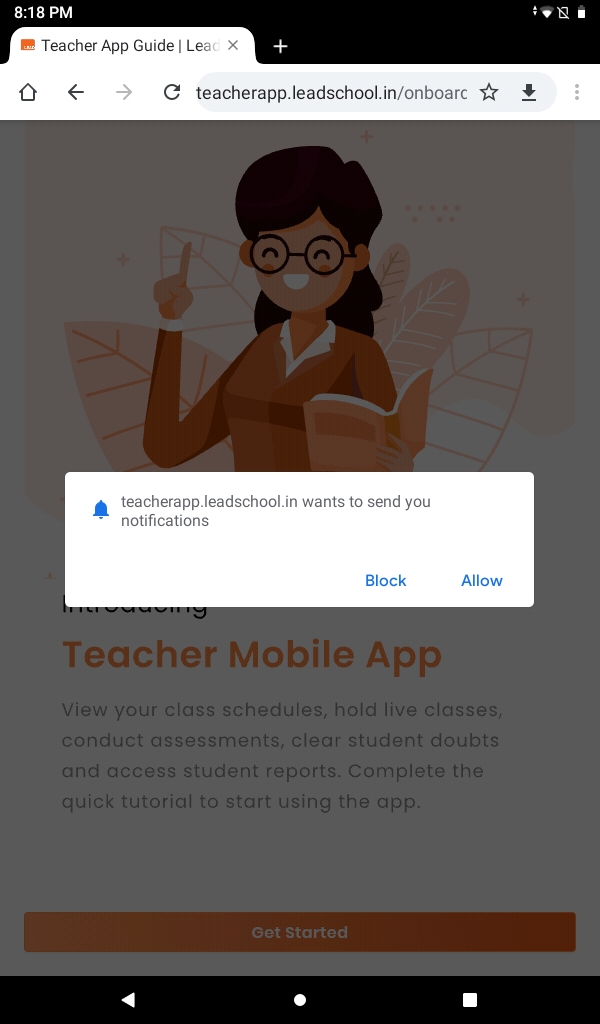
- Click on Allow to receive notifications whenever a query arrives.
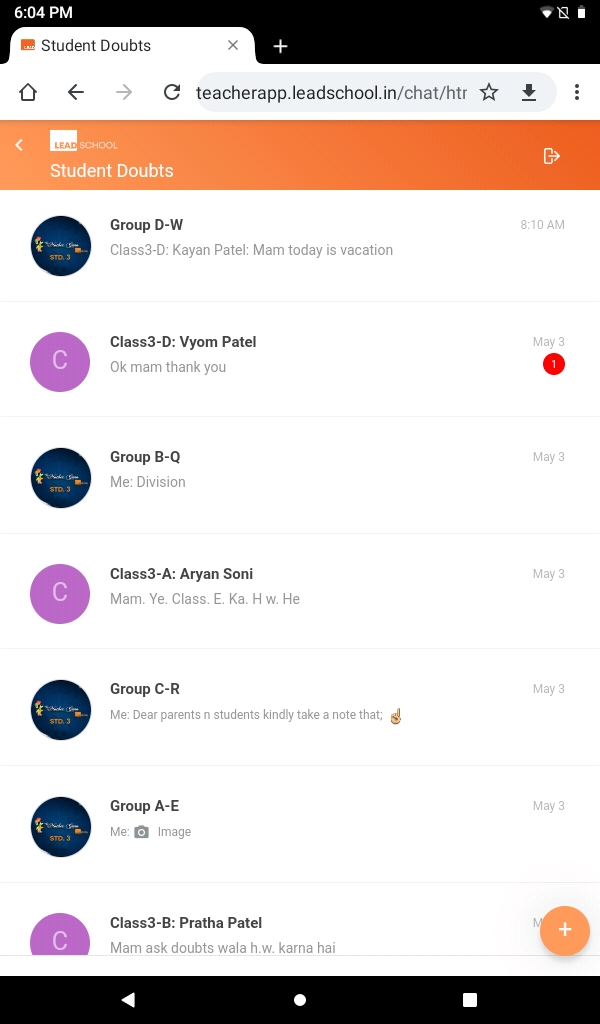
- As you allow the action then assigned chat subjects will get displayed.
- Click on the Subject which query you want to answer.
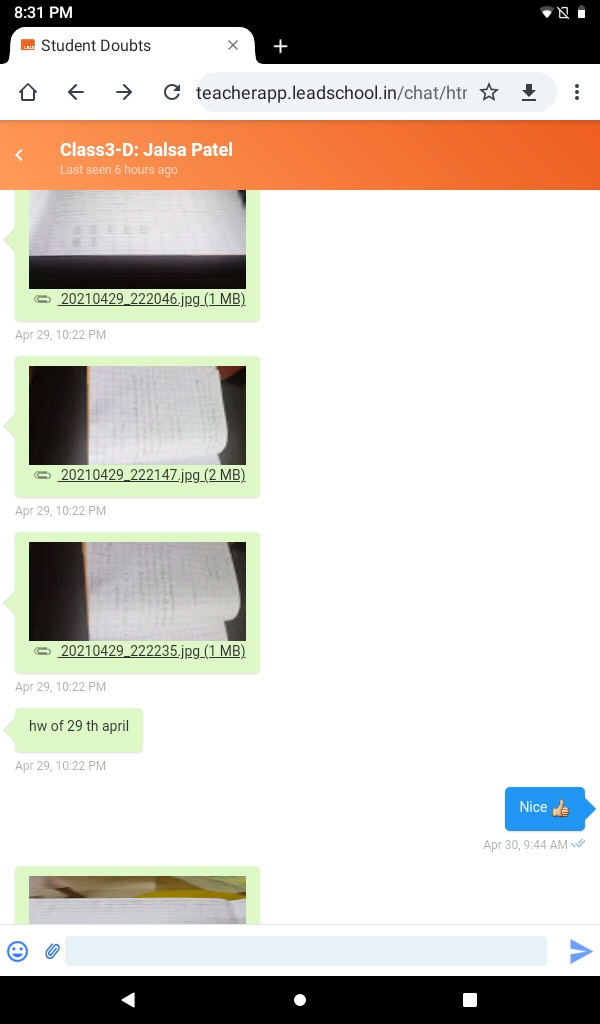
- You will receive notification whenever students ask questions. Student's questions will come with a green background on the right side of the screen.
- You will enter your answer here and click on the Send button.
- Students will also receive notification as you answer questions.

Group Discussion
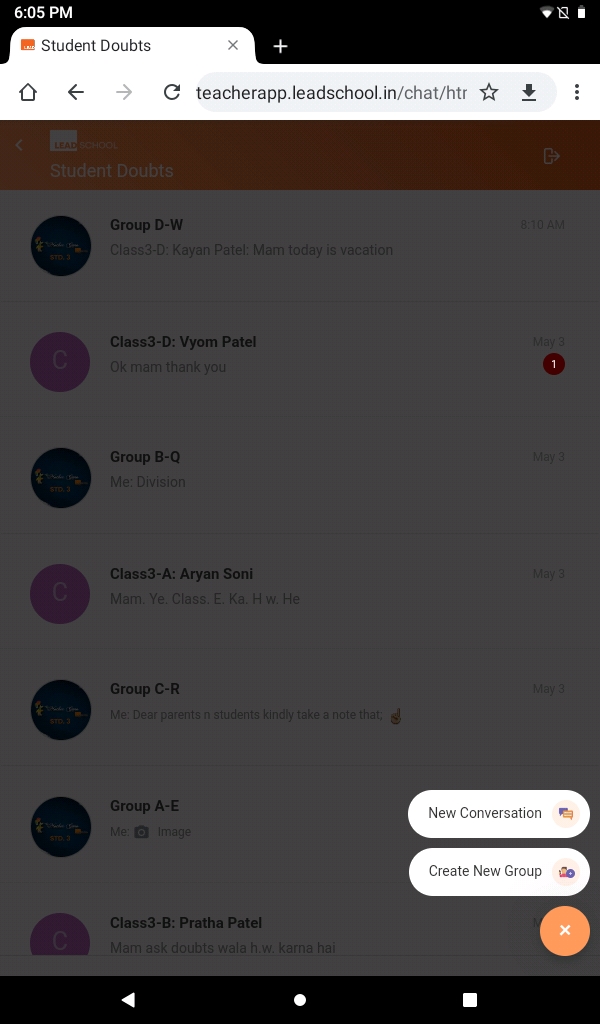
- Click on the icon to start conversation.
- Click on New Conversation if you want to start conversation with a particular student.
- Click on Create New Group if you want to create a group.
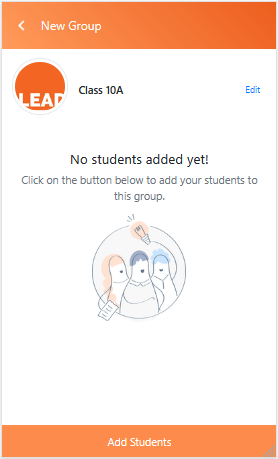
- As you click on Create New Group you will receive a new page where you enter your groups name and you can upload a group picture as well.
- Click on Done after entering group name and uploading group profile pic
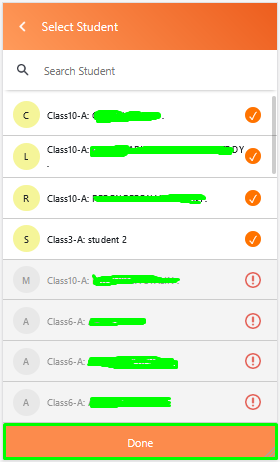
- Click on Add Student to add students in the group.
- Now your group is ready.
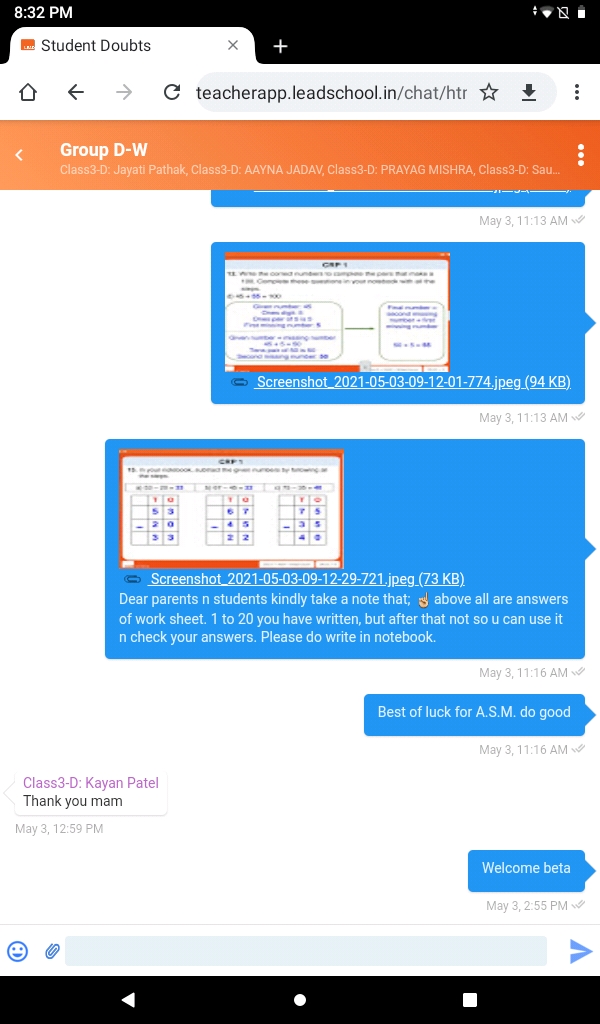
- Click on the group name and start conversation.
- Enter your message and click on Send to start your conversation.