This will tell the teachers which students are scheduled to come to school in case of the school is optioned for Hybrid.
Attendance will be visible to both class teacher and subject teacher as well.
Step 1:
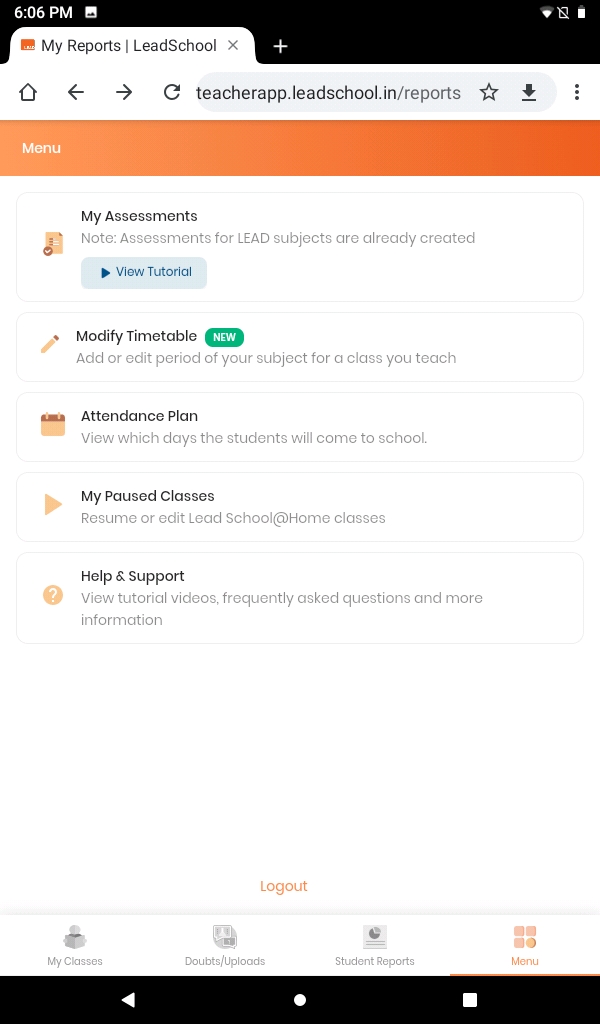
Click on the Menu.
Select Attendance Plan from menu.
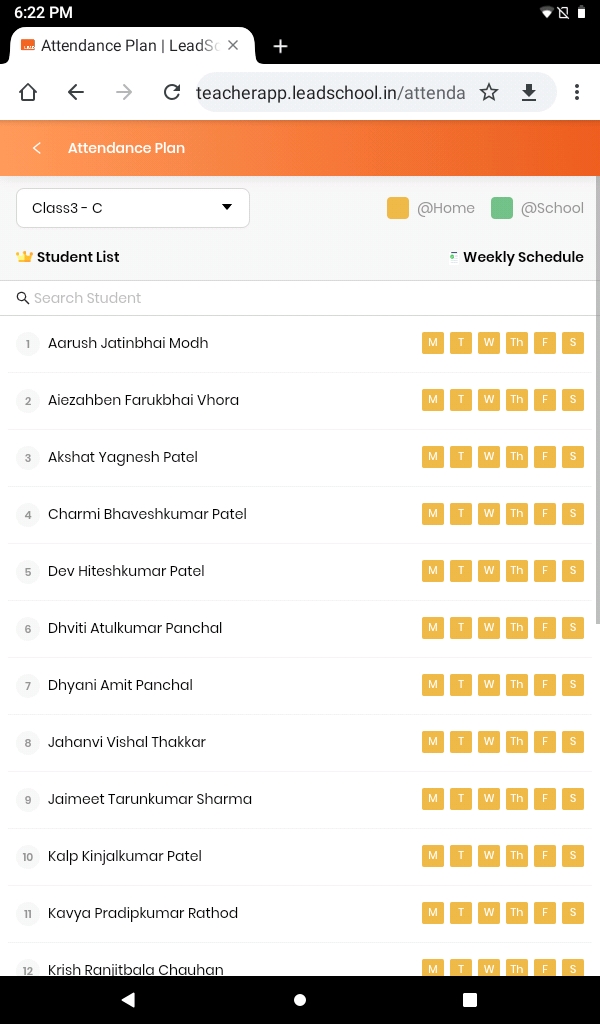
Step 2: If a teacher has been assigned to multiple classes then the teacher will get drop down to select the desired class from dropdown.
Click on the desired class from dropdown.
Click on X to close the dropdown and go to the attendance dashboard.
Click on the Back icon again if you want to go back to the main menu.
Step 3:
Now the attendance report is visible on the screen.
Teachers still have the dropdown to select the different class.
Dates which are in the green indicate that the student attended the class from school and orange indicates attendend from home.
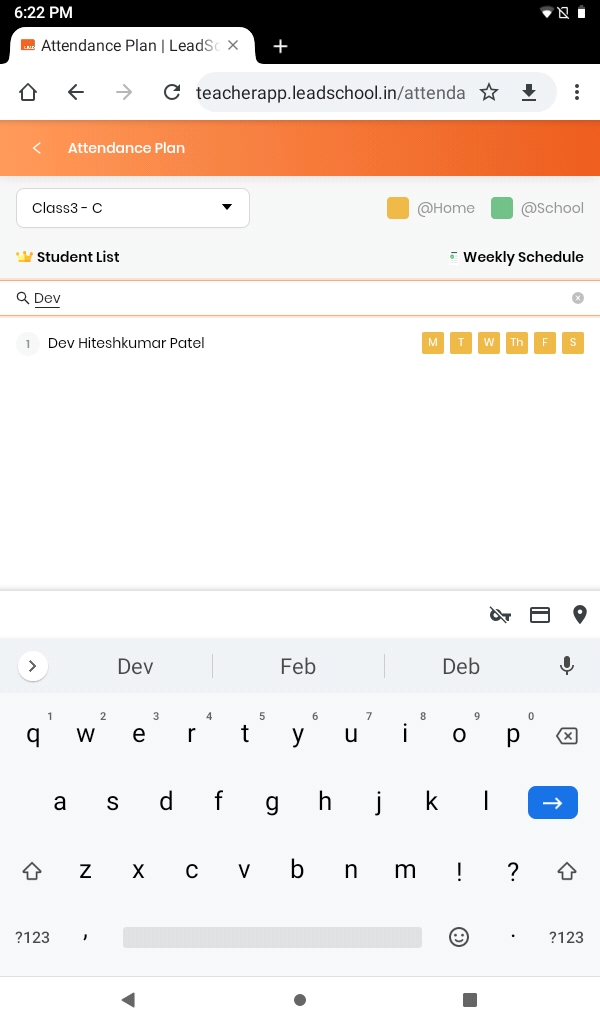
You can also search for student by clicking on Search Student on search bar and enter student name.