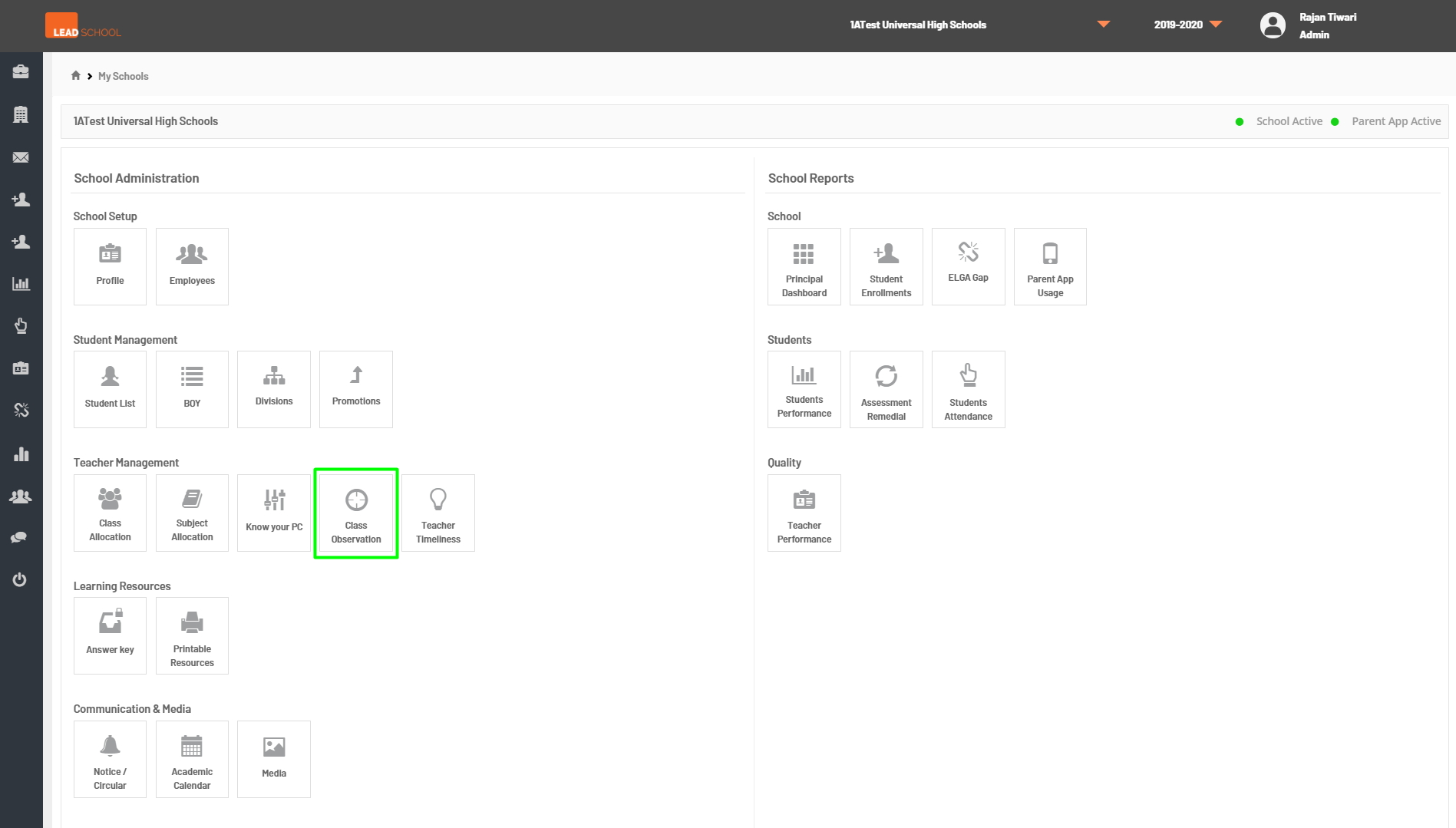
Schools can enter class observation ratings for teachers by navigating to School Administration → Quality → Class Observation. They can also track the unit-wise record of teachers class observation scores.
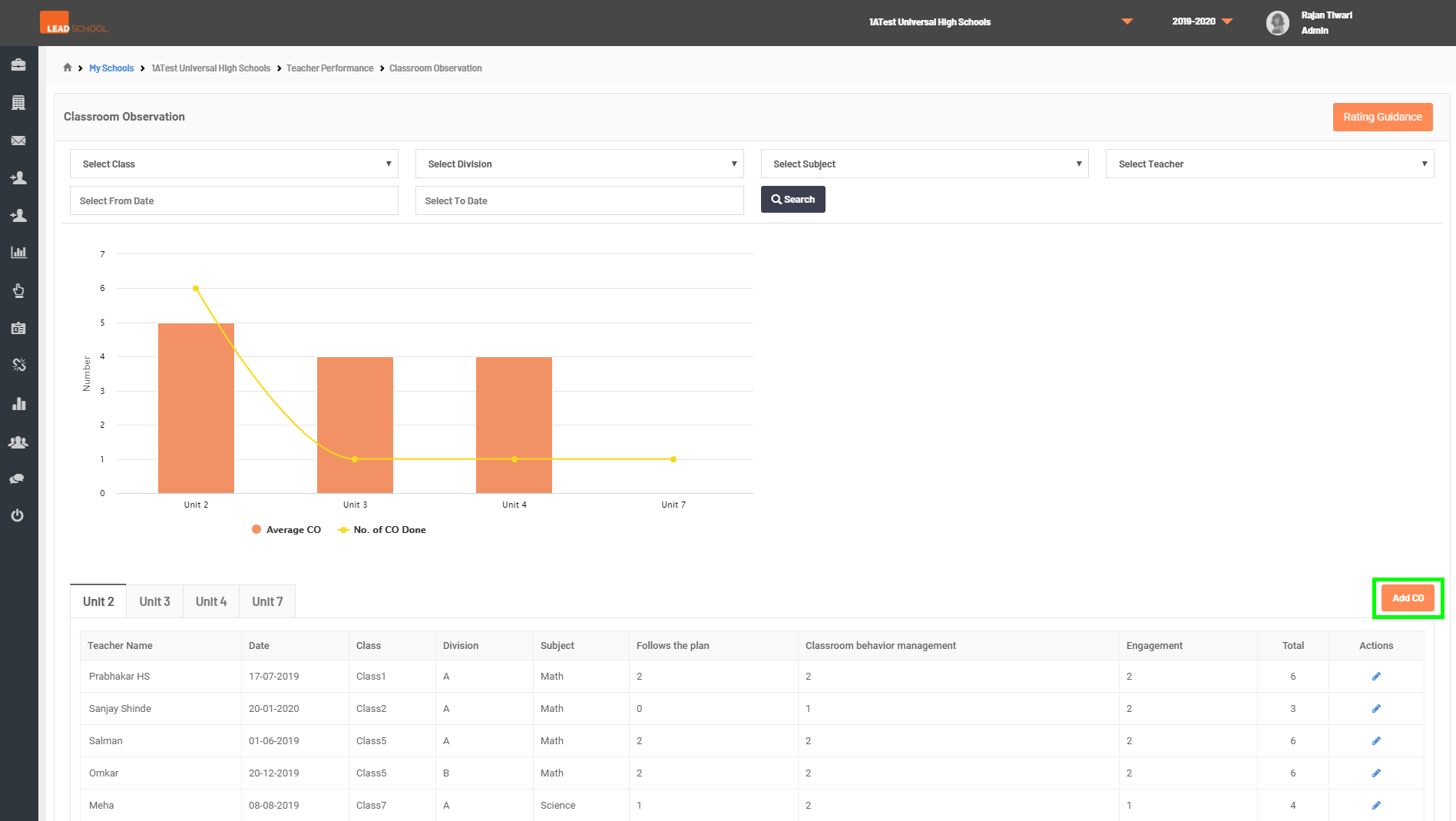
To know more about the rating system, click on the Rating guidelines button.
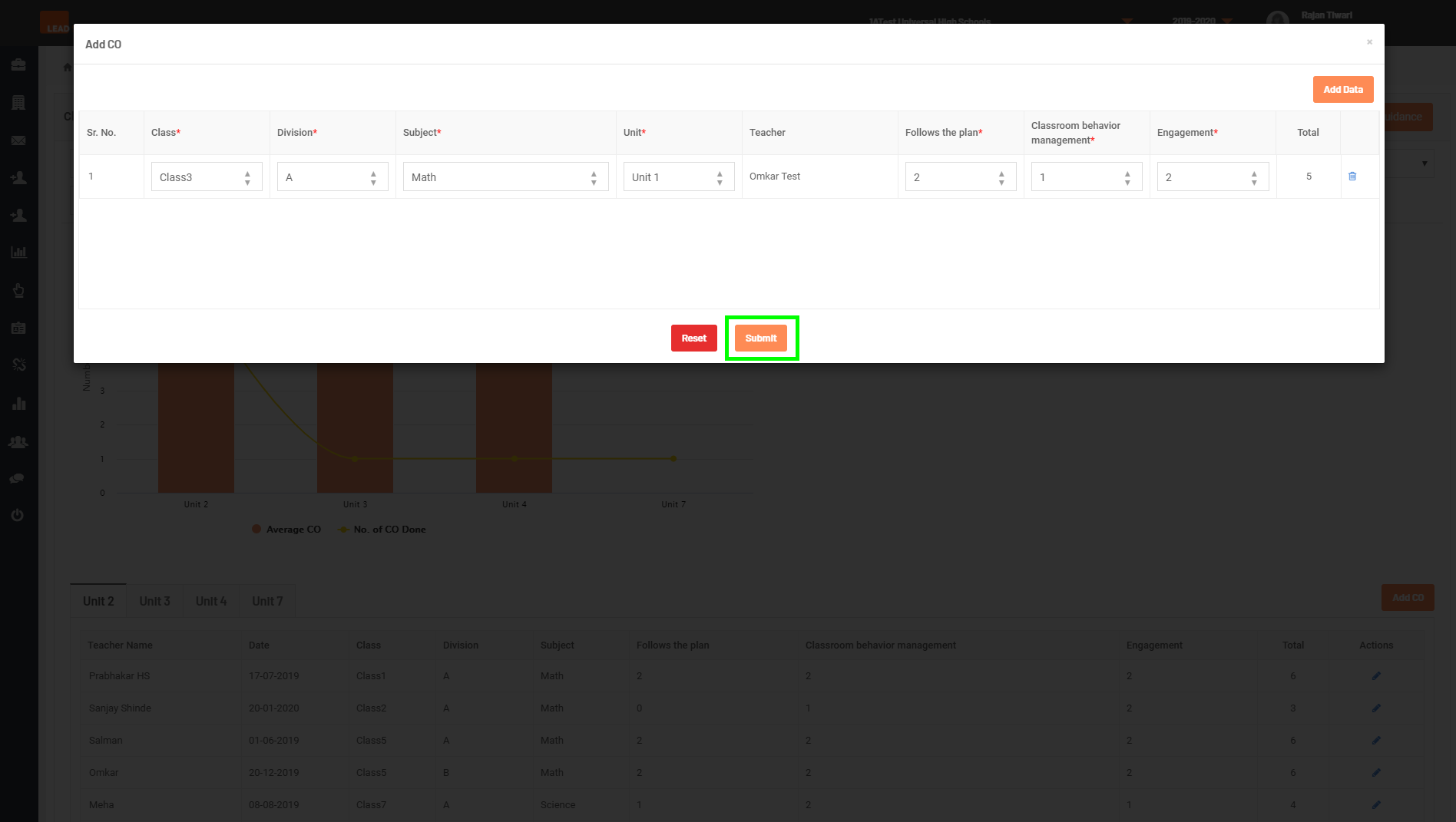
Click on CO to enter data. Select the class, division, subject, and unit. Now, According to the performance, give a rating to the teacher. Click on the Add data to add another entry. Click on Submit once finished.
Step 1: Go to Class Observation tab
Step 2: Click on Add CO button
Step 3: Select Class, Division, Subject, Unit from dropdown, to enter the Scores and click on Submit button.
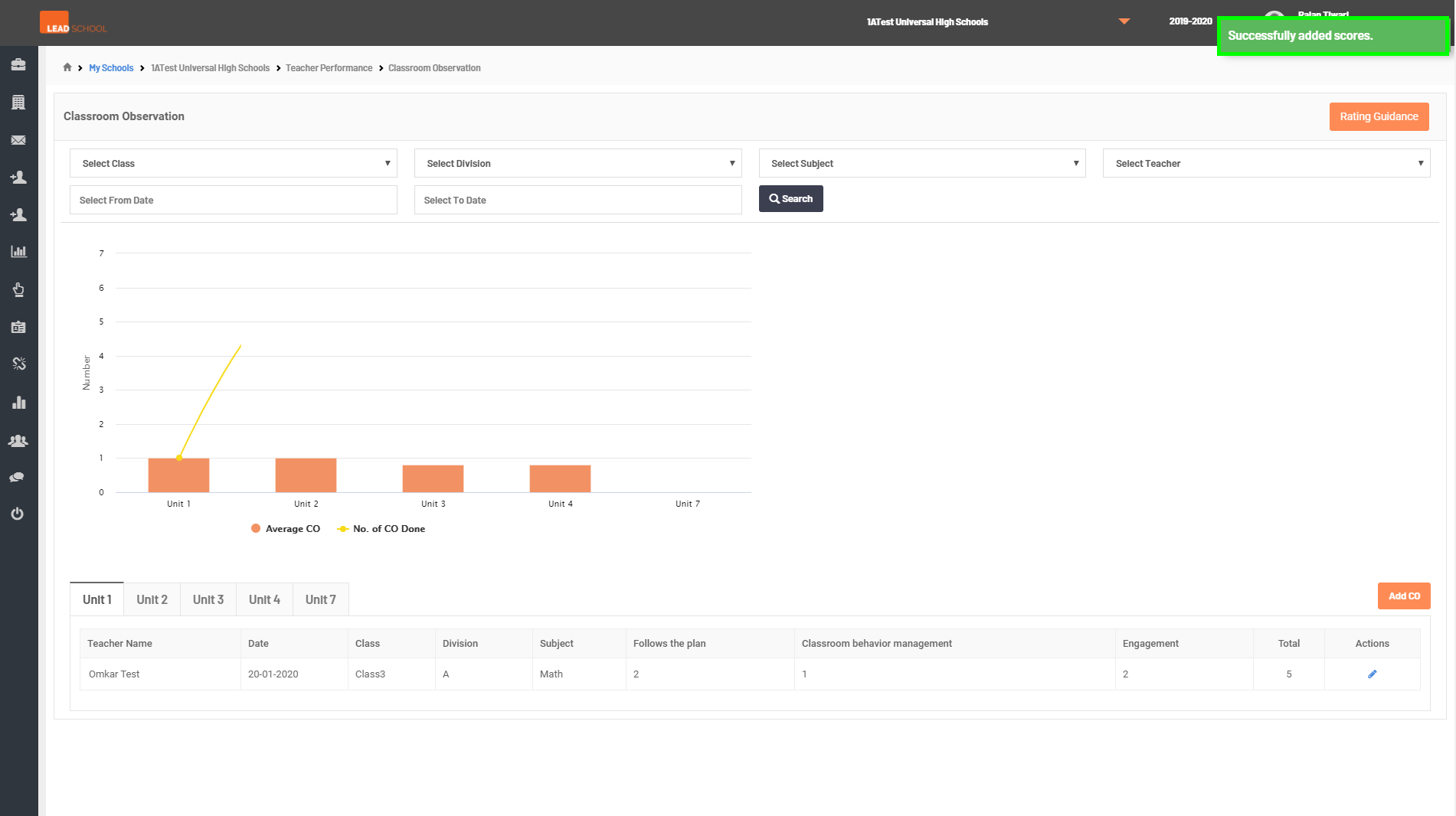
Step 4: Once data is saved, User will get Successfully added scores message