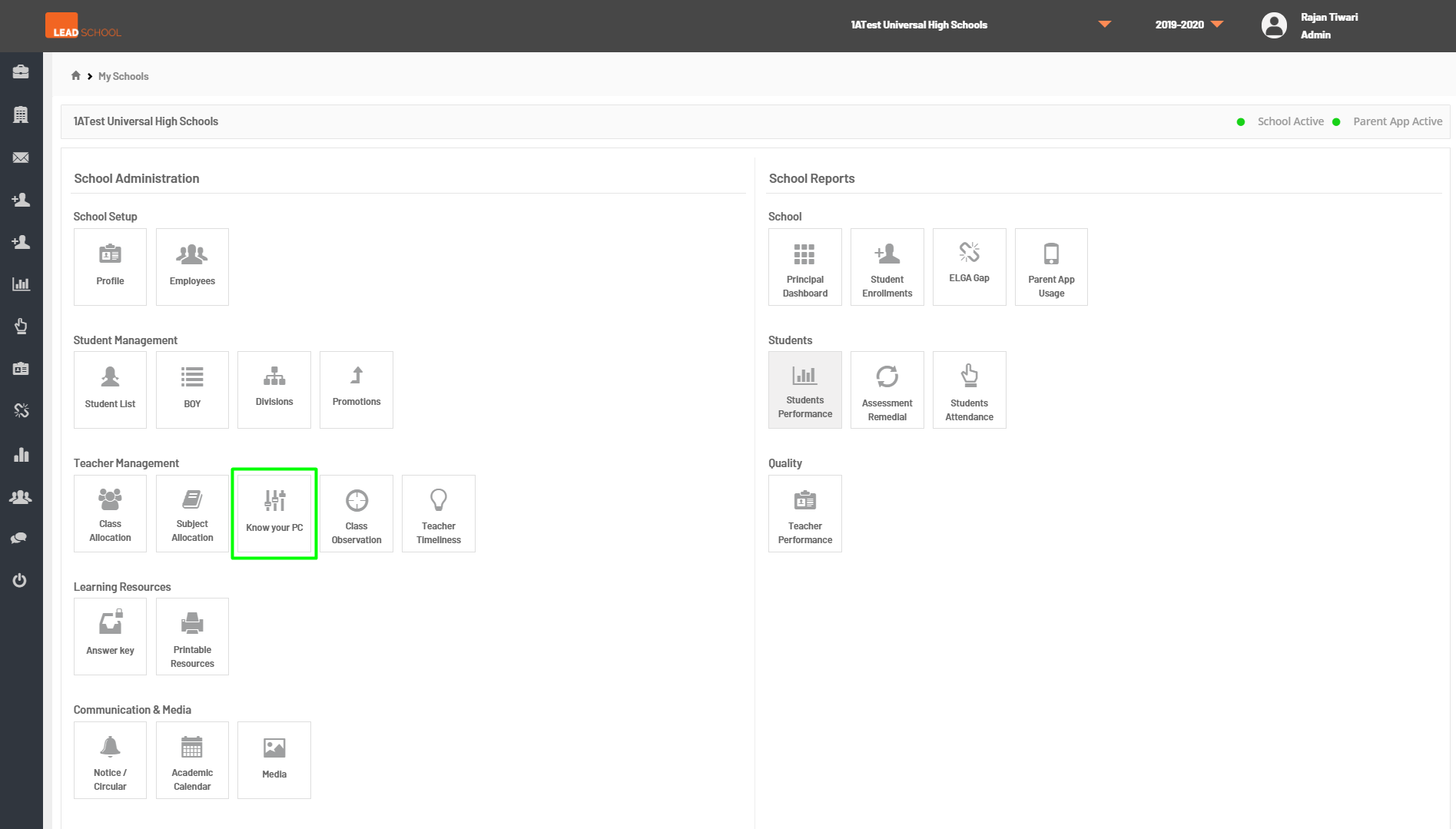
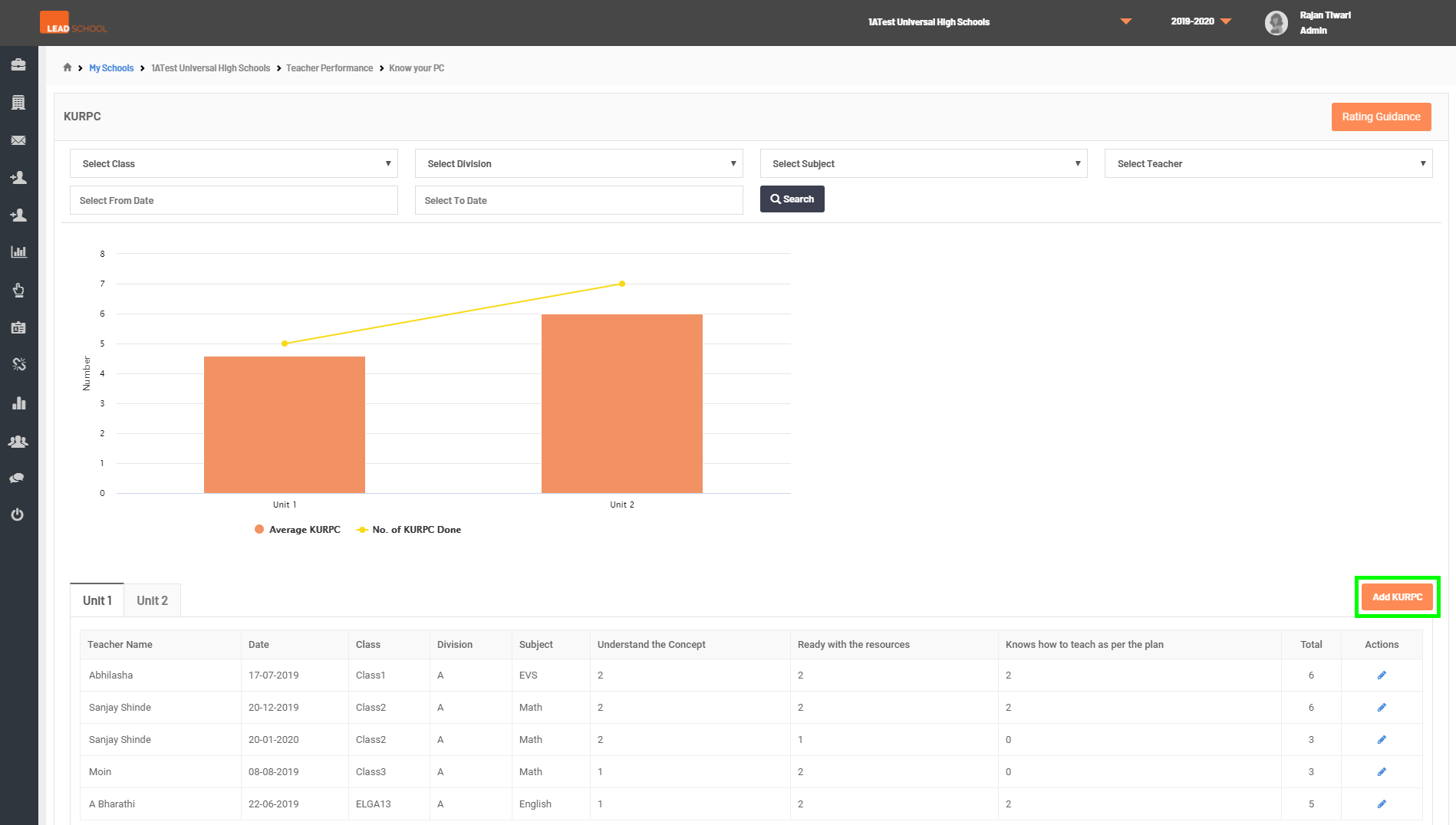
To manage KURPC data, navigate to School Administration → Quality → Know your PC. Schools can give KURPC ratings to teachers through this page. They can also track the unit-wise records of teachers KURPC scores.
To know more about the rating system, click on the Rating guidelines button.
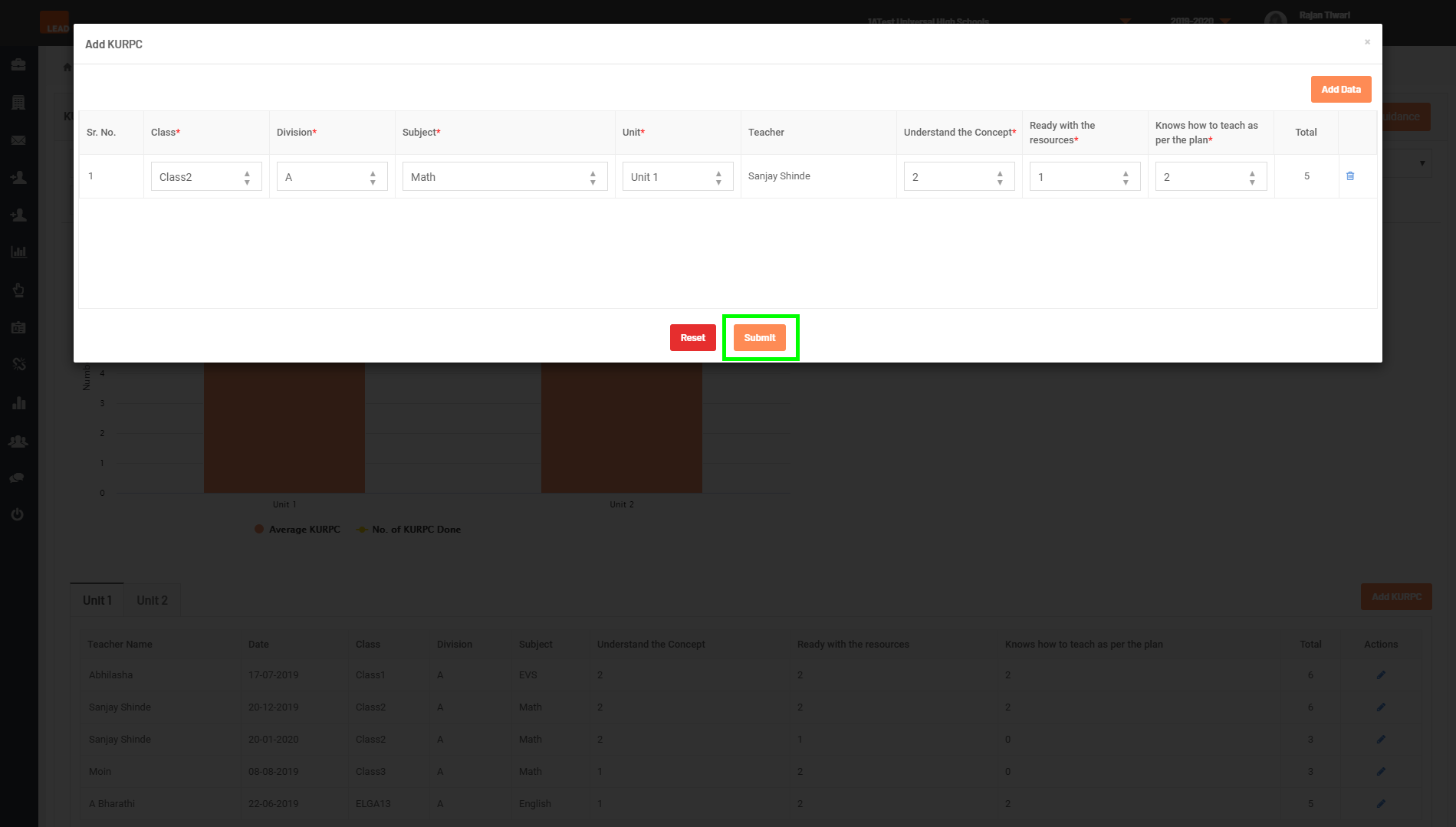
Click on Add KURPC to enter KURPC data/rating. Select the class, division, subject, and unit. Now, According to the performance, give a rating to the teacher. Click on the Add data to add another entry. Click on Submit once finished.
Step 1: Go to Know your PC tab
Step 2: Click on Add KURPC button
Step 3: Select Class, Division, Subject, Unit from dropdown, to enter the Scores and click on Submit button.
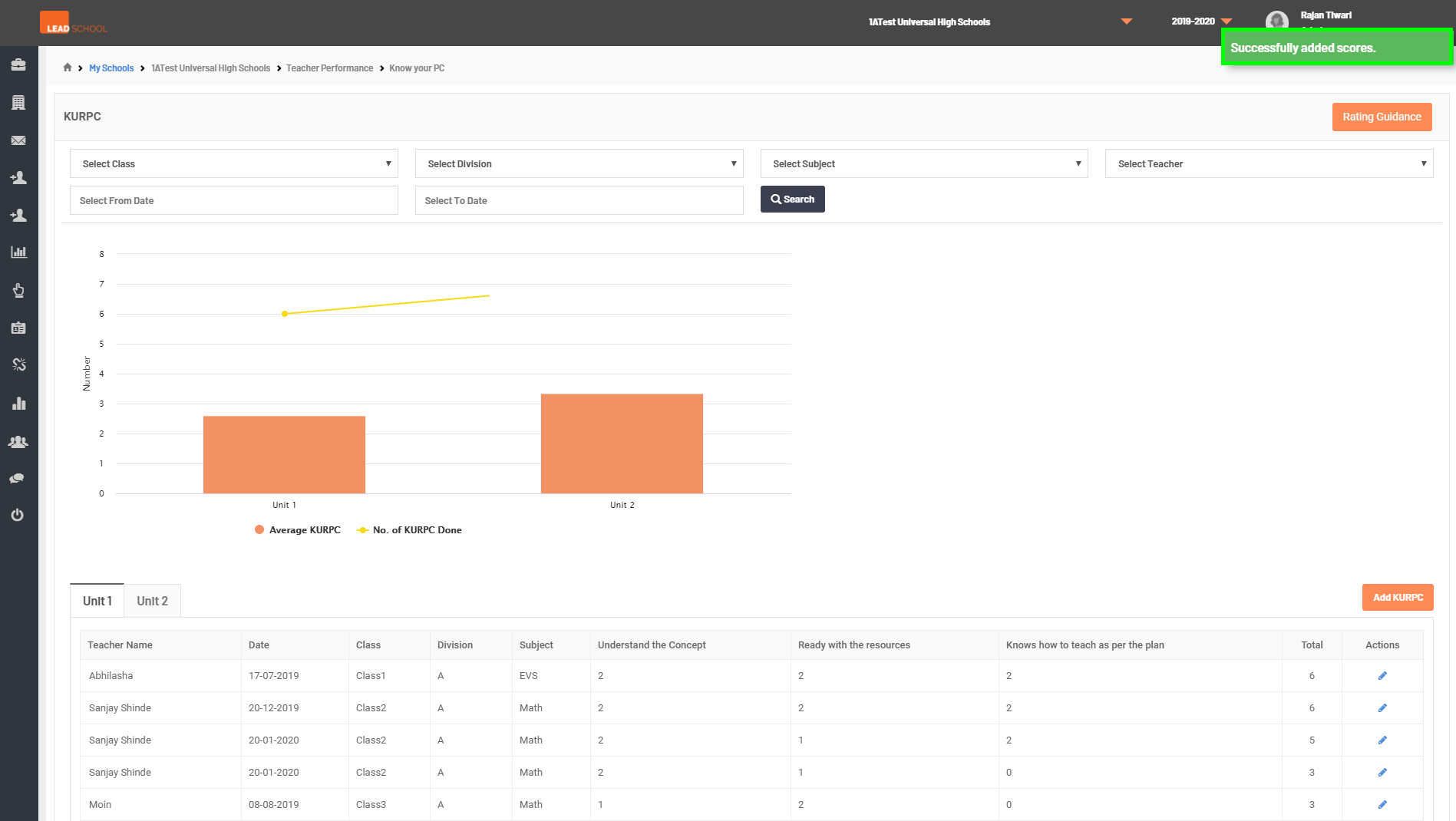
Step 4: Once data is saved, User will get Successfully added scores message