Class Teacher Allocation
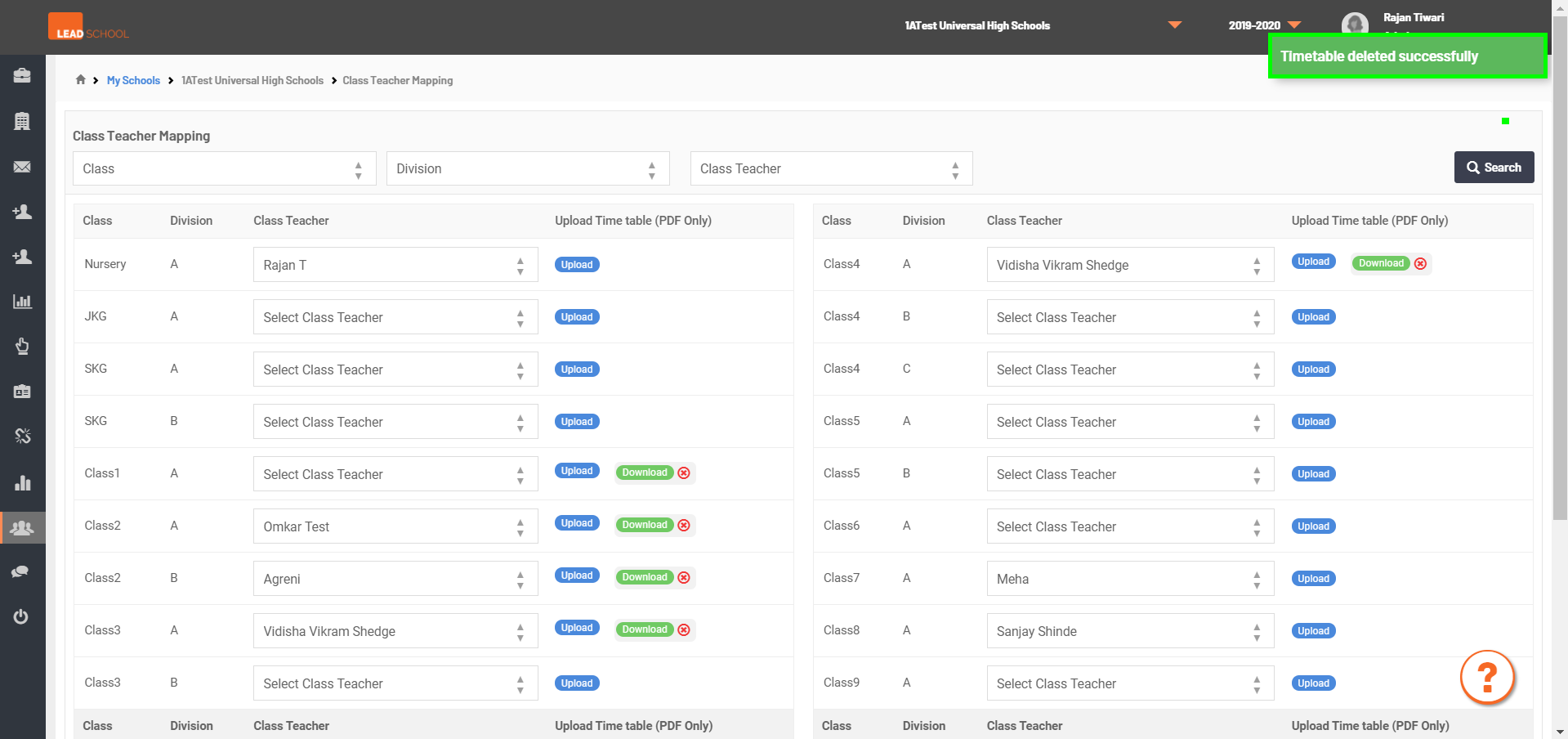
- Navigate to School Administration → Classrooms → Class Allocation to assign a class to a teacher. If it is required, the school can change the class teacher. Schools can upload and download the Timetables of a particular teacher as well.
- Step 1: Go to Class Allocation tab
- Step 2: Select Teacher Name from dropdowm next to Class and Division.
- Step 3: Once Selected, User will get the Class teacher assigned successfully! message. Now, inform Teacher to do Reset Tablet in Tab to see the changes.
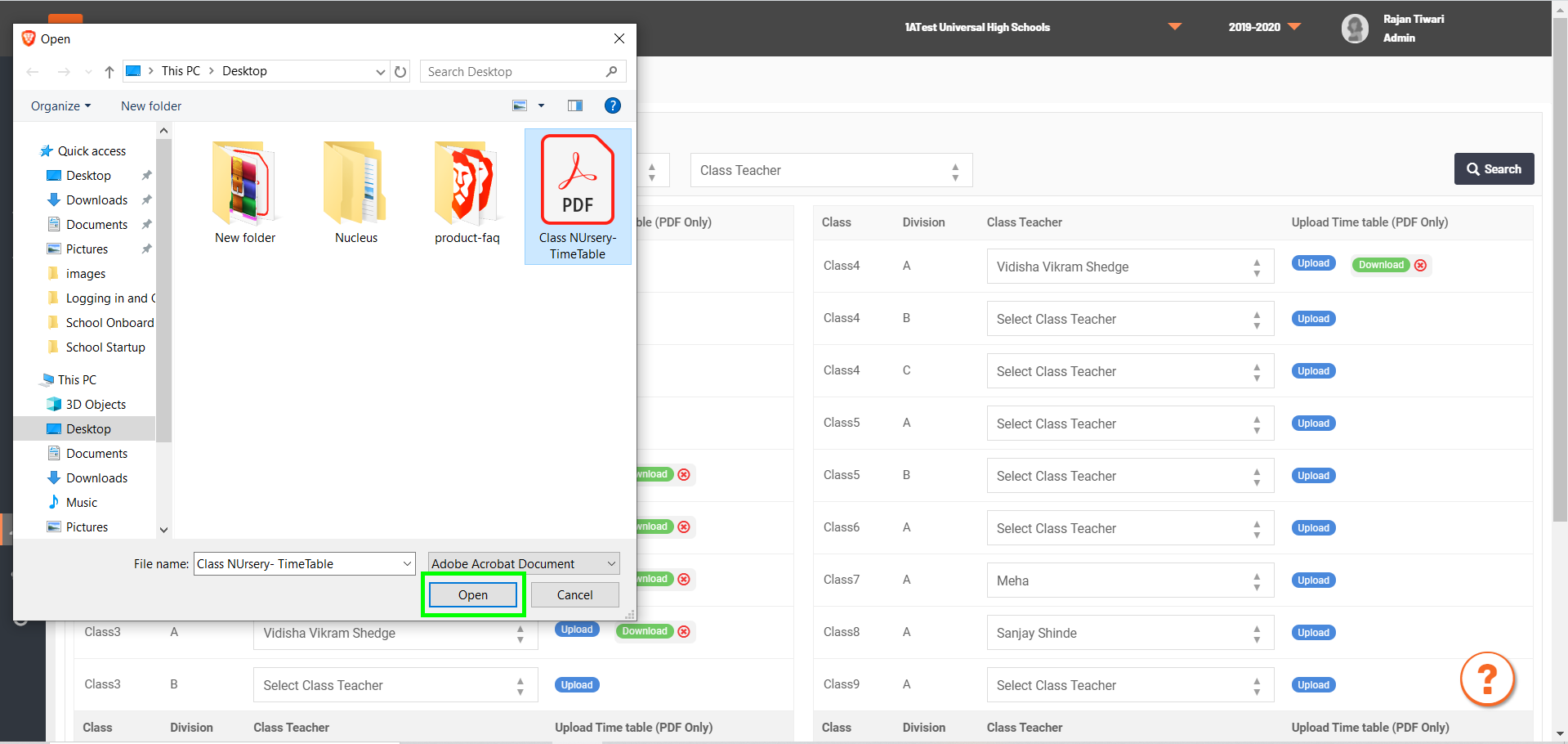
- Step 4: For uploading class Time Table, click on upload next to respective Class and Division.
- Step 5: Select the file(Only PDF) and click on open
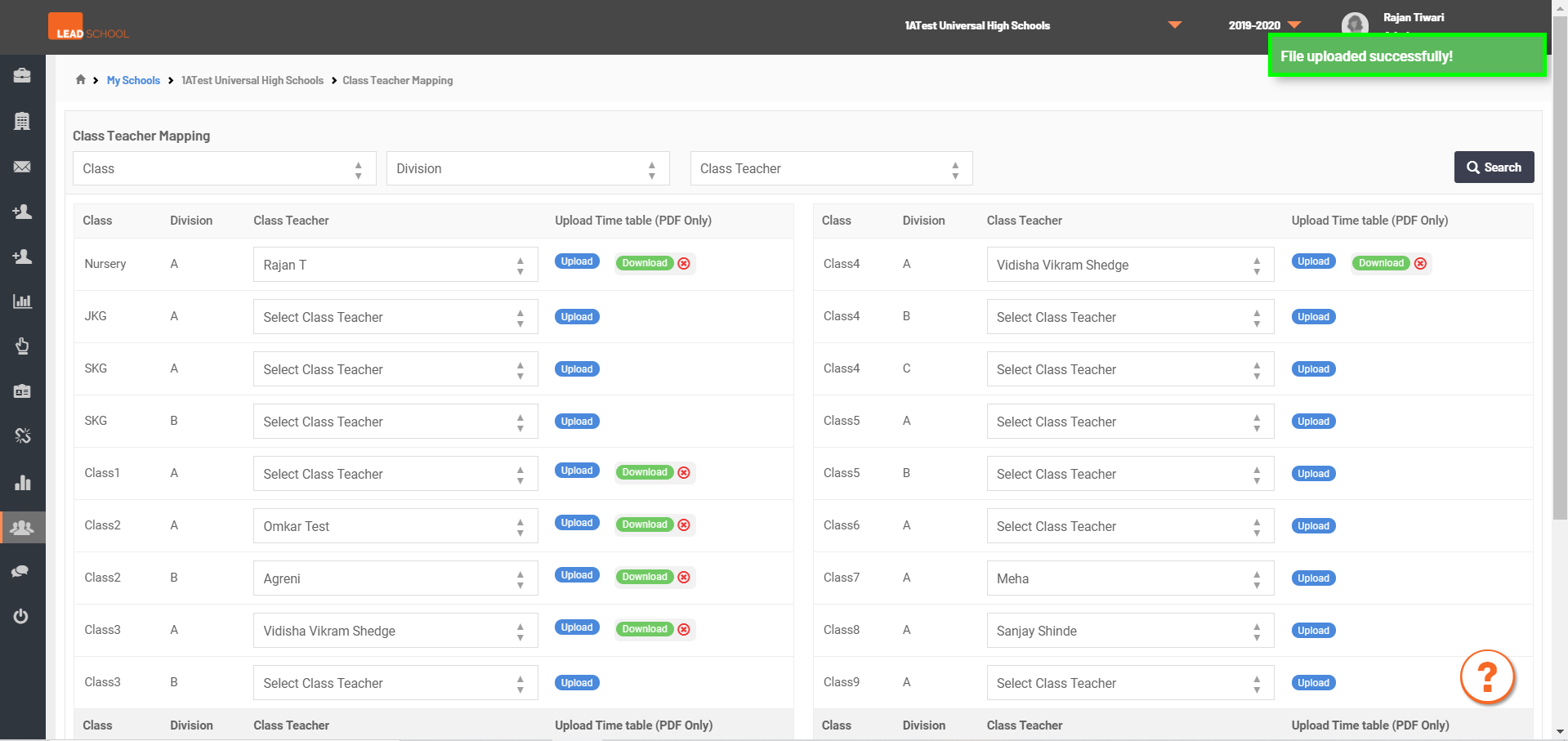
- Step 6: Once the file uploaded, User will get the File uploaded successfully! message.
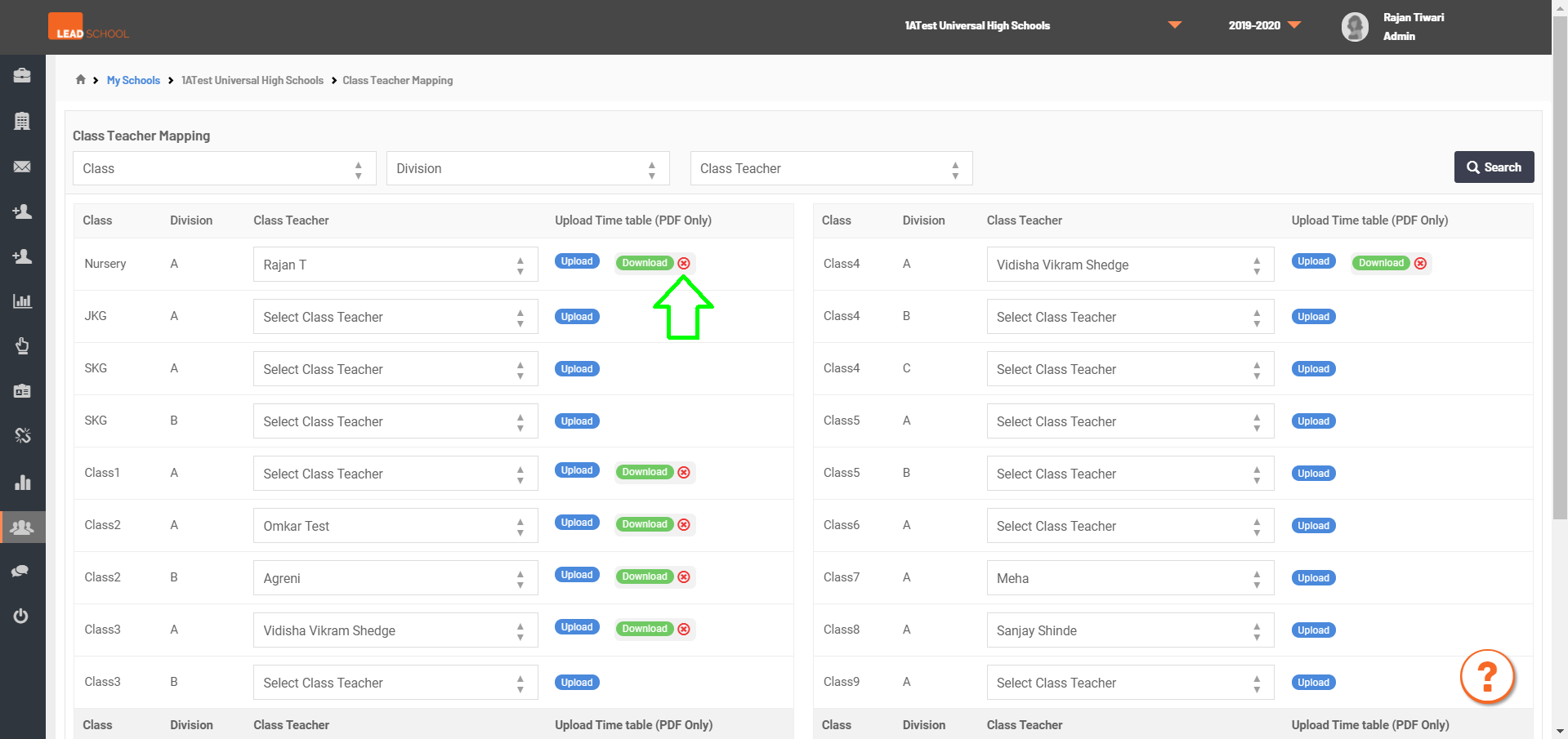
- Step 7: Incase wrong Time Table is uploaded, click on Red Cross Icon for removing it.
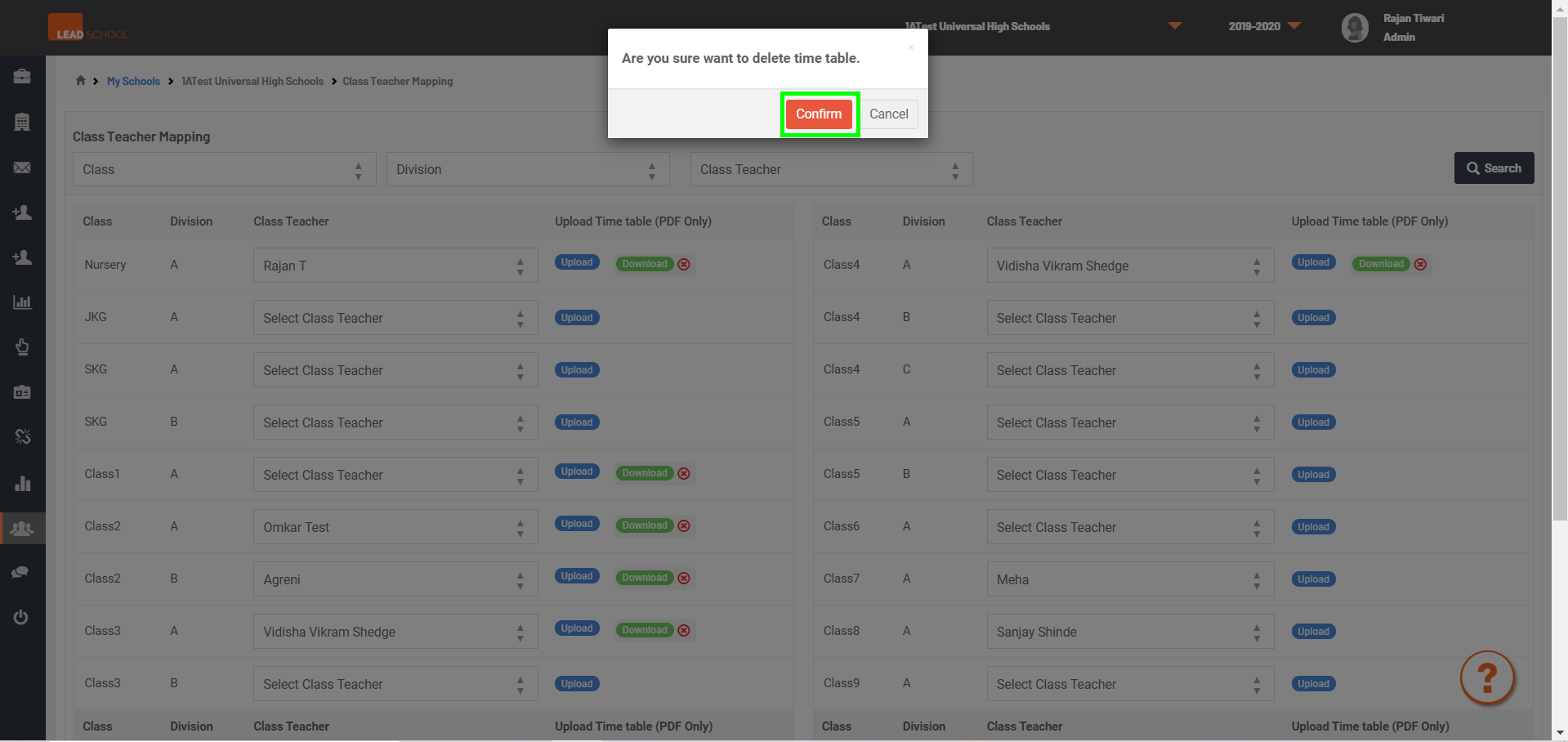
- Step 8: Click on Confirm button.
- Step 9: Once the file is removed, User will get the Timetable deleted Successfully message.
- Step 10: For uploading, new Time Table follow the same steps as mentioned above.