Update Students
- If you have some changes on the student database, e.g Student added or removed from a class or new addition in class in this scenario you need to click on Update Student to get the database updated on the Teacher App.
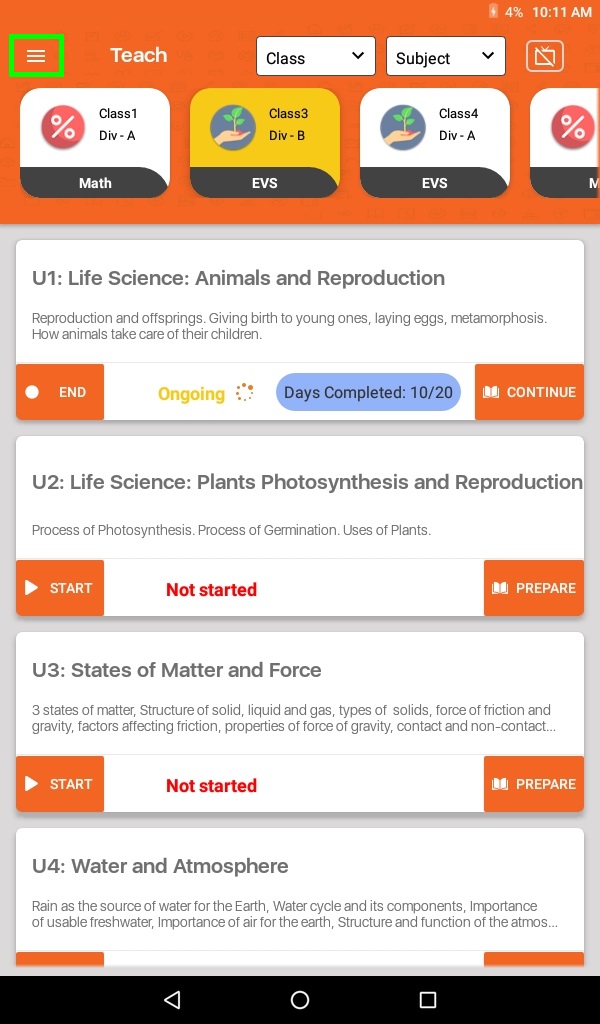
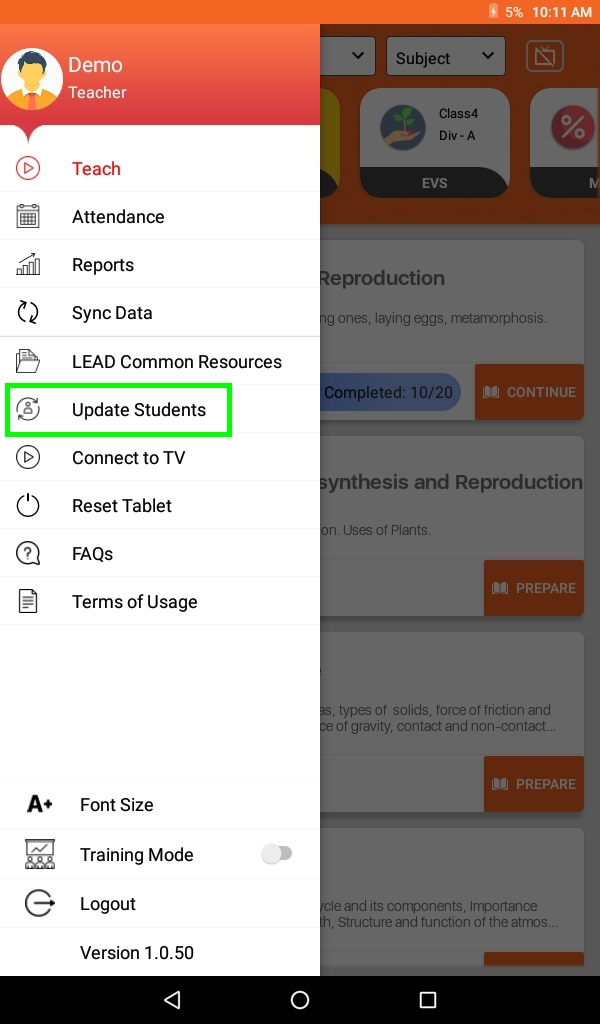
- Go to Menu (≡) to select Update Students
- Click on Update Students button
- Click on OK button
- Once the Student list is updated, user will get pop-up message Student Data Updated Successfully.