-
Schedule B.O.Y.
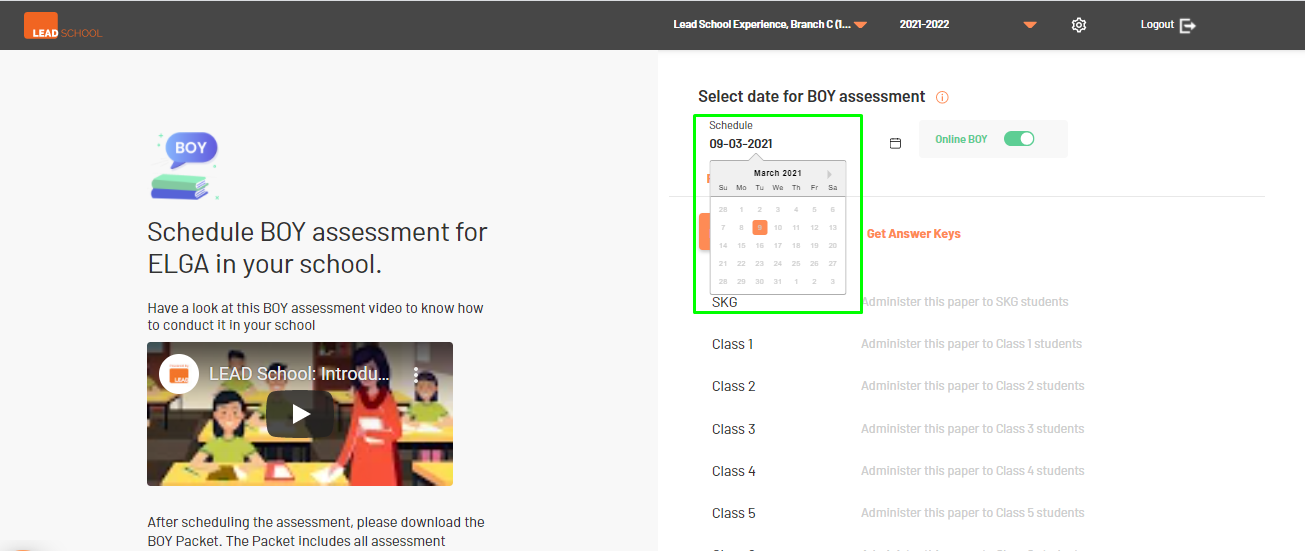
- The school setup is complete, the school can schedule and conduct BOY exams using this option. Click the Schedule option and select a date from the calendar to schedule BOY.
- If a school wants to conduct a BOY assessment online through the LEAD Parent & Student app, they can toggle the Online BOY option to enable it. Students will receive BOY assessment in the Student app on the scheduled date.
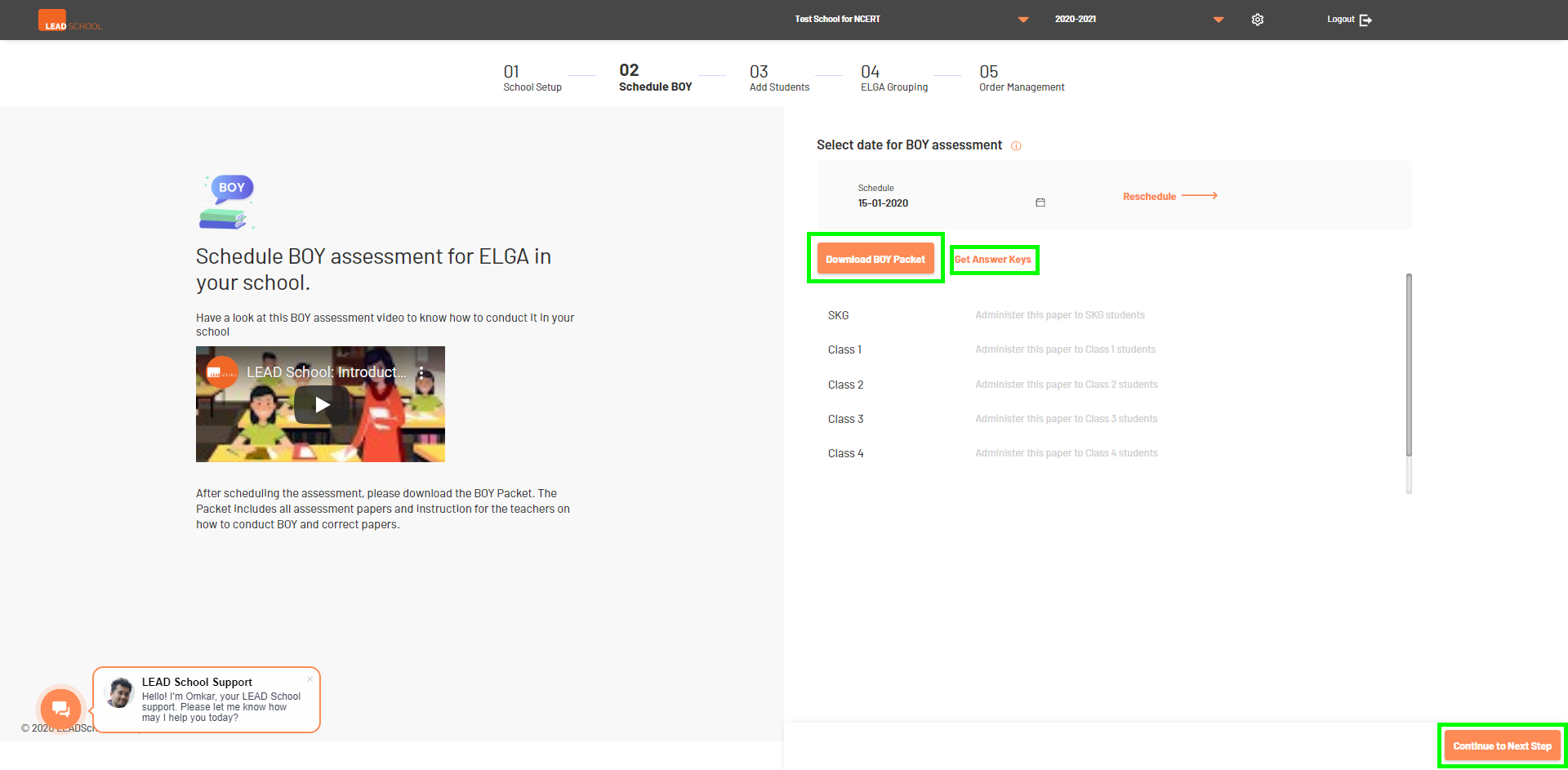
- Click Download BOY Packet option, to download BOY question papers. A compressed zip file will get downloaded containing question papers in pdf files for each class, which school can print and conduct BOY exams
- School can also reschedule BOY by clicking the Schedule option again. Select a new date from the calendar. Click the Reschedule button to confirm the date.
- Once BOY has been conducted, school can download answer keys by clicking Get Answer Keys button. Once again, it will download another compressed zip file which school can open and print for teachers to evaluate student papers
- Click Continue to proceed to the next step.