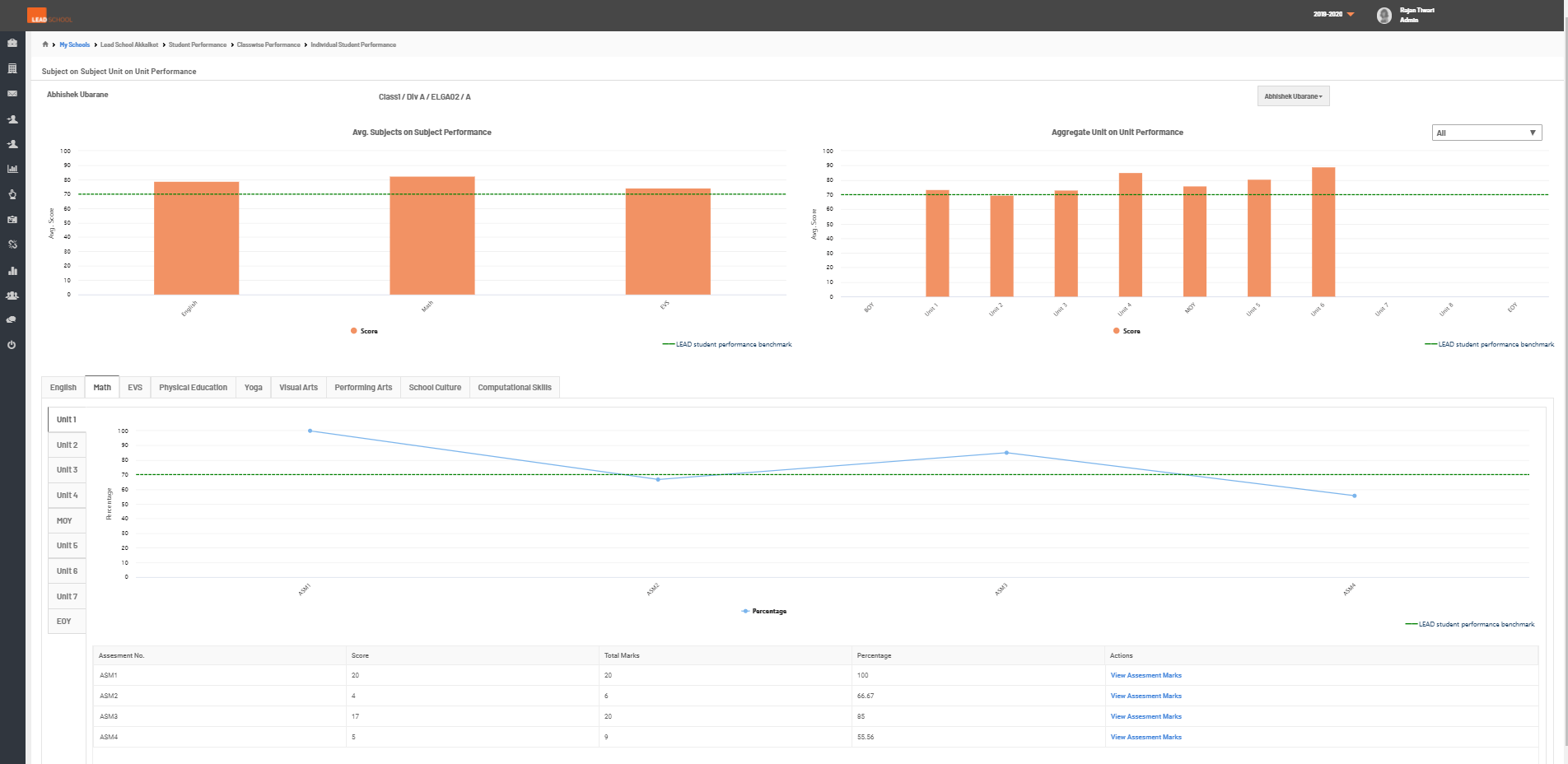
Student Performance Data
- Navigate to School Reports → Student → Student Performance. This option helps the school to check the average student performance based on the assessment marks.
- Step 1: Go to Student Performance tab
- Step 2: The average school student performance (grade) is visible on the top right side. Schools can check the Average Student Performance by the class/subject / ELGA class in graphic formats. The average class performance is also available in the list graphs below. To check a particular class performance in graphical format, click on the graph symbol next to grade. To check the class-wise student performance, click on Grade % (marked in blue ) next to the class. To get a detailed student performance report of assigned quizzed, click Download Quiz Report option. It will download an excel sheet with class-wise average student quiz scores & attendance along with detailed student wise quiz scores.
- Step 3: This report can be filtered based on students name/code, class, division, subject, unit or date. To download a report for a particular class, click on Download Report Data. To check a particular students performance details, click on the Graph symbol next to the particular student under the View Details column.