Taking Attendance
- The teacher can enter student attendance via Attendance from the main menu. Only assigned classes will be visible in the Attendance tab. Class assigning can be done on the Nucleus.
- Click on Menu (≡) to select Attendance
- Click on the Attendance tab to enter attendance.
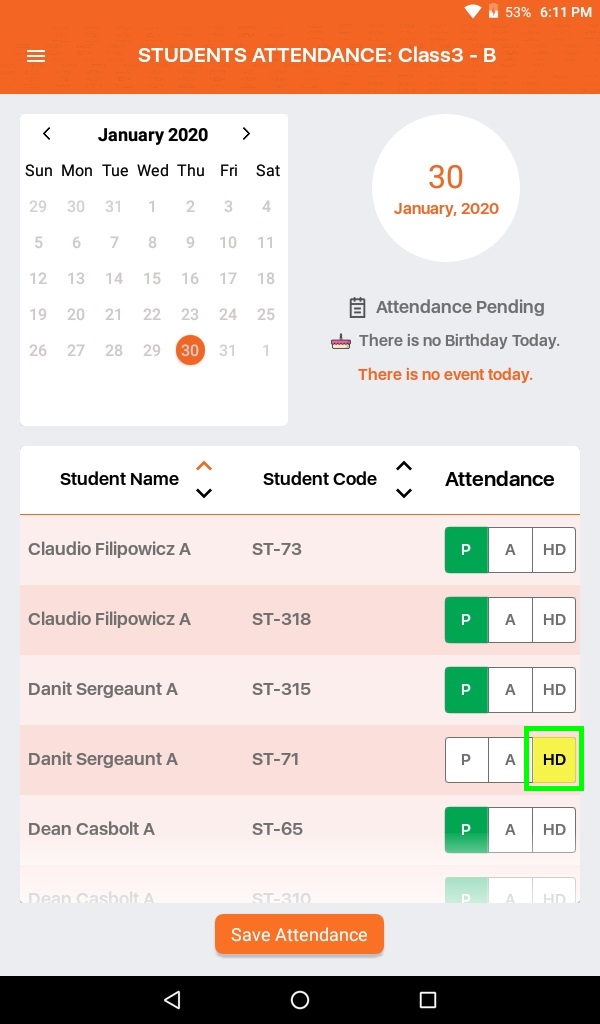
- Select day from the calendar to enter attendance. Student list is visible just below the calendar. Click on P which is in Green if a student is present.
- Click on A in orange if a student is absent.
- Click on HD in Yellow if a student is a half day present.
- To Save Attendance, click on Save Attendance