Manage Teacher Timeliness Data
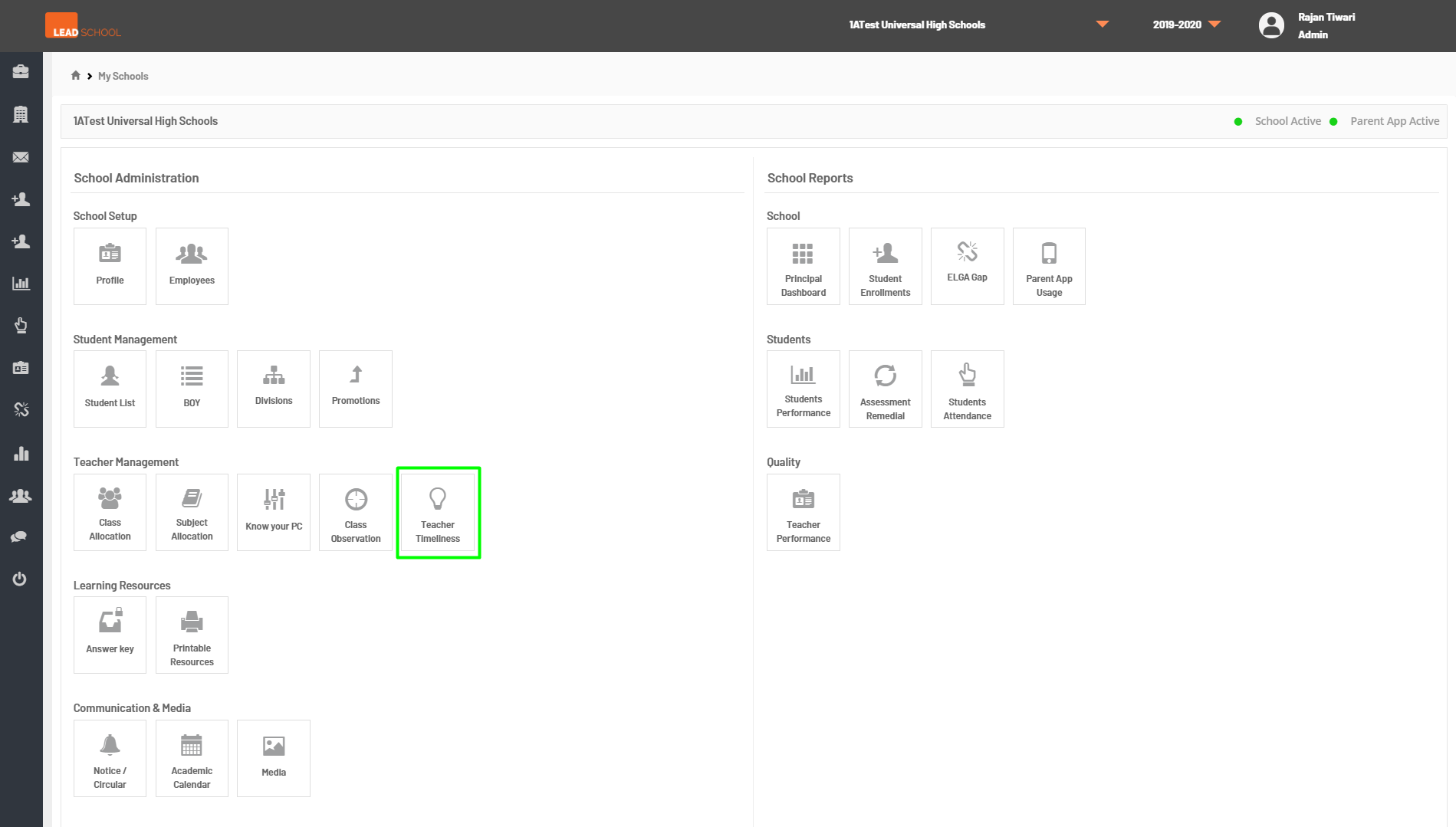
- Based on the teachers unit and assessment completion data, the teachers timeliness data is created. Schools can check unit completion data and remedial data for all teachers or for a particular teacher as well. To check this data, navigate to School Administration → Quality → Teacher Timeliness.
- Step 1: Go to Teacher Timeliness tab
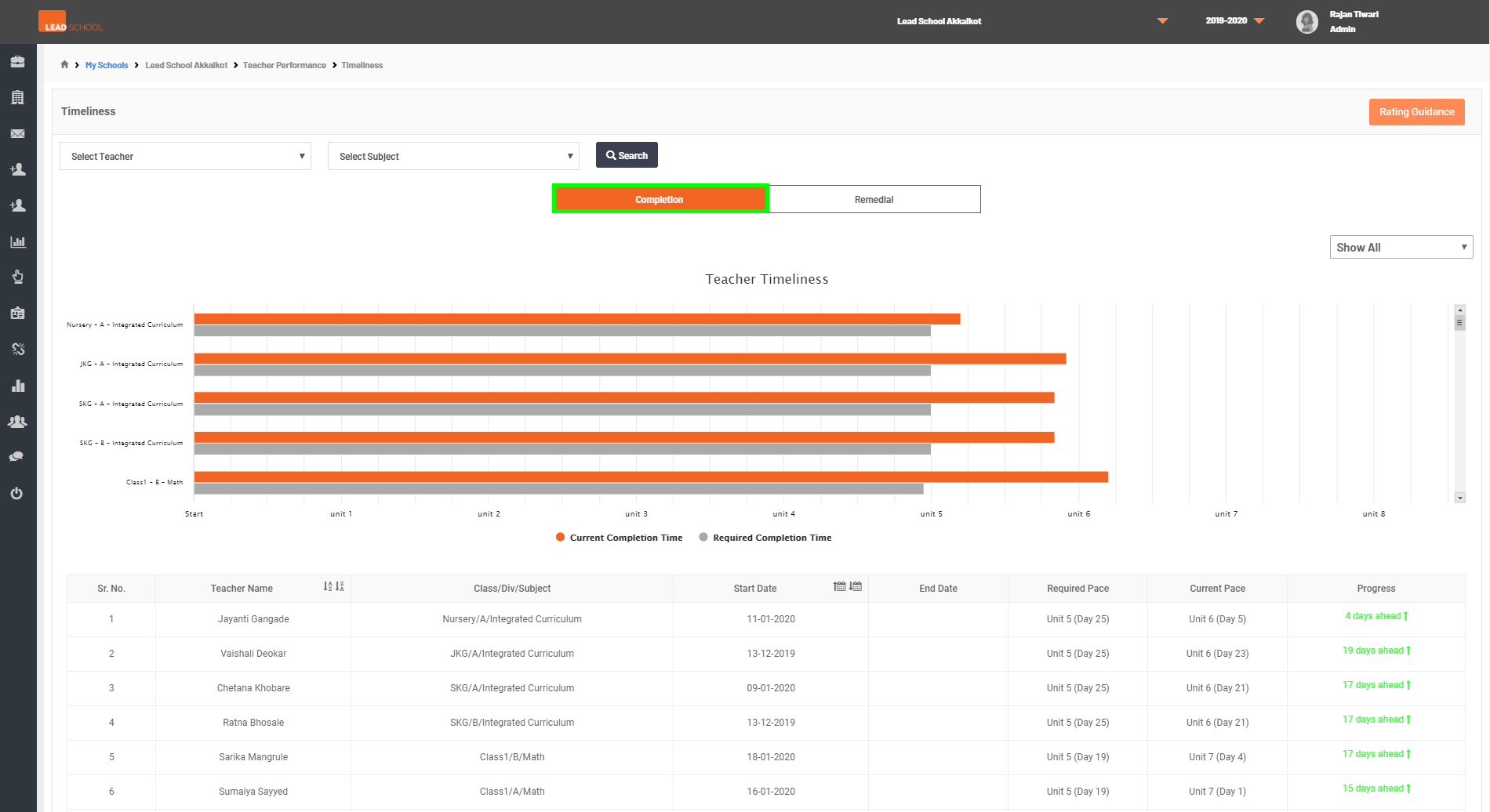
- Step 2: This page provides information on the pace of lesson plan completion. The orange bar represents current completion rate and the grey bar represents required completion rate. The table under the bar graph gives information on Start Date, End Date of each teacher.
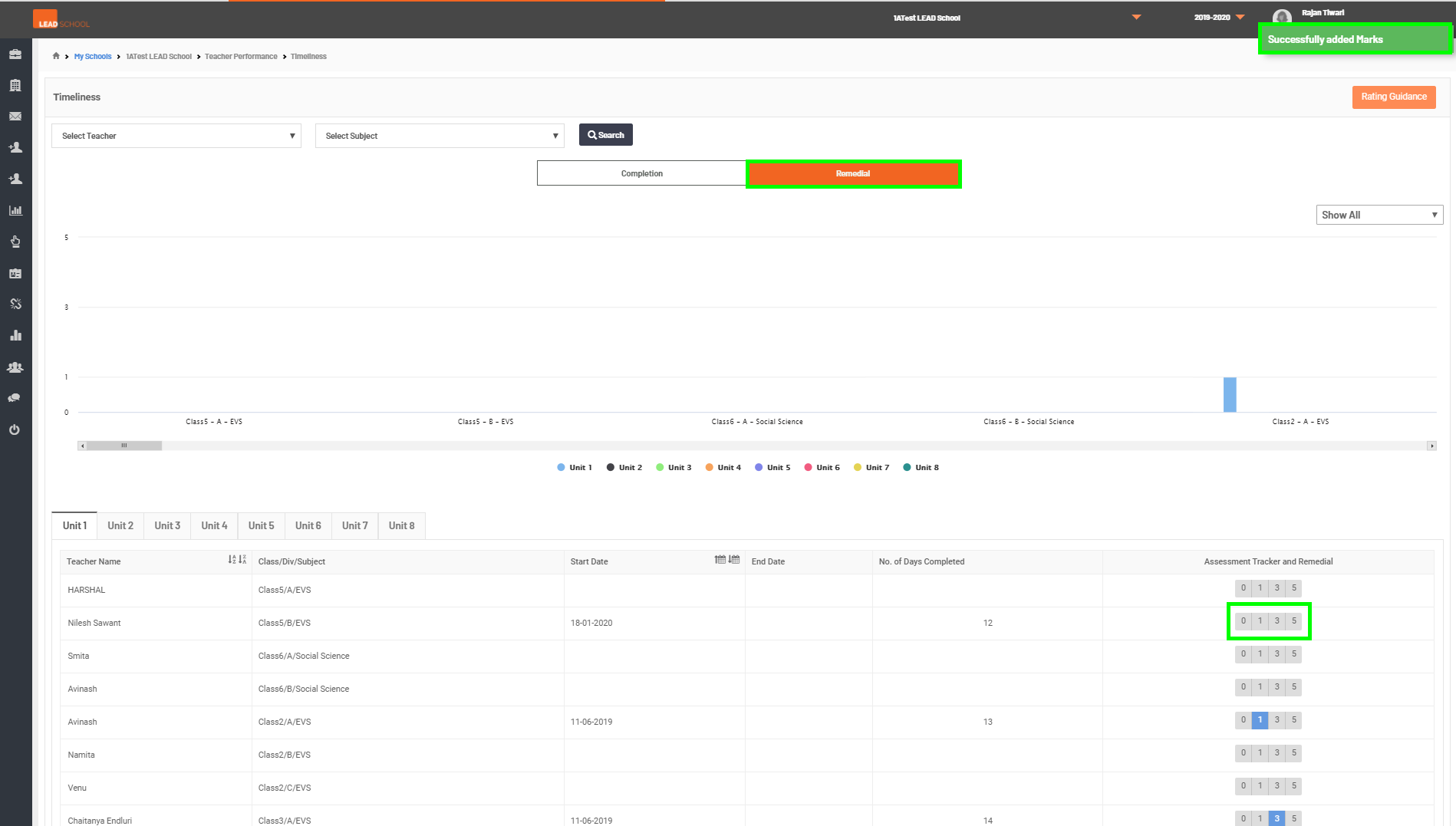
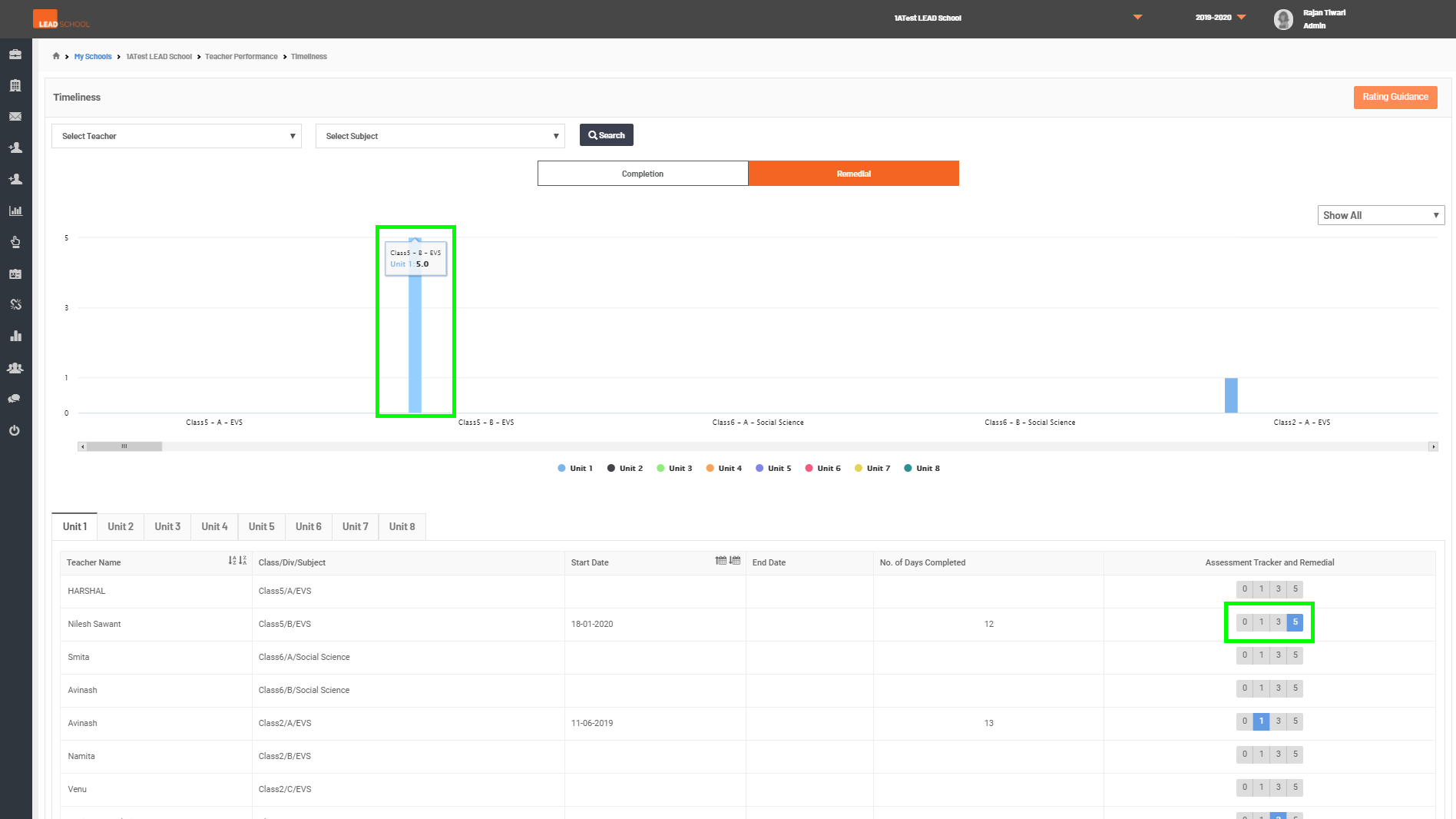
- Step 3: This page helps Principal/Academic Coordinator to give rating to the Remedial classes observed. To enter scores, navigate to the end of the table, and according to the rating guidance, click on the assigned score. All the scores are also visible on the graph above the table.