Teacher Mobile App is a website which can be opened on Mobiles / Tablets / Desktops as well. To open teacher need to go to the browser and enter url.
How to login - Login process is the same as the teacher app. You need to enter your registered mobile number and your password.
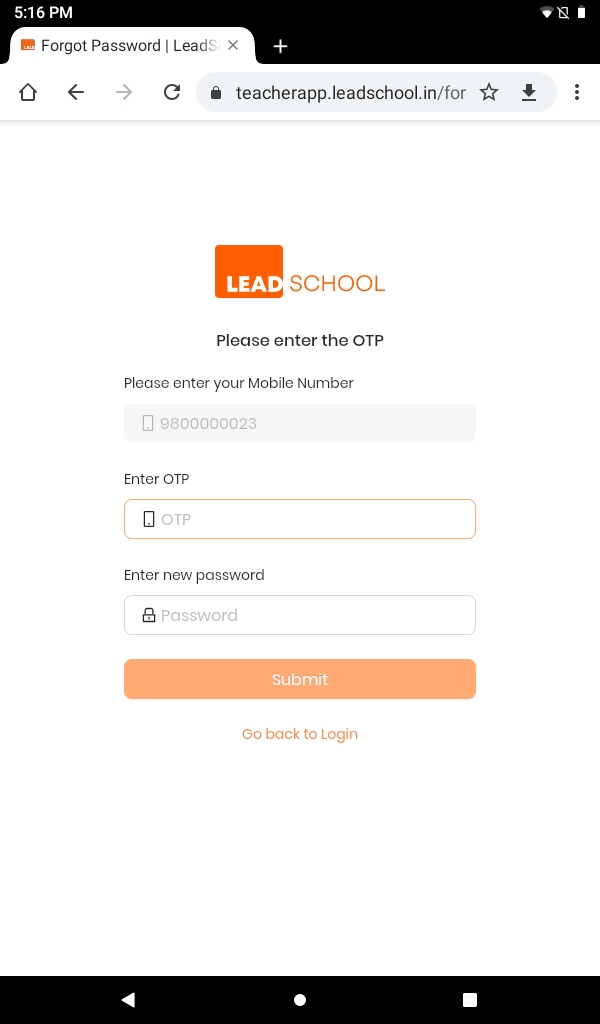
The number registered on the Nucleus will receive the OTP (One Time Password) to verify the user. The user needs to enter the OTP to authenticate himself/herself.
Note-If you change your password here then you need to enter a changed password on teacher app as well.
Step 1:Click on Forgot Password? to create a new password.
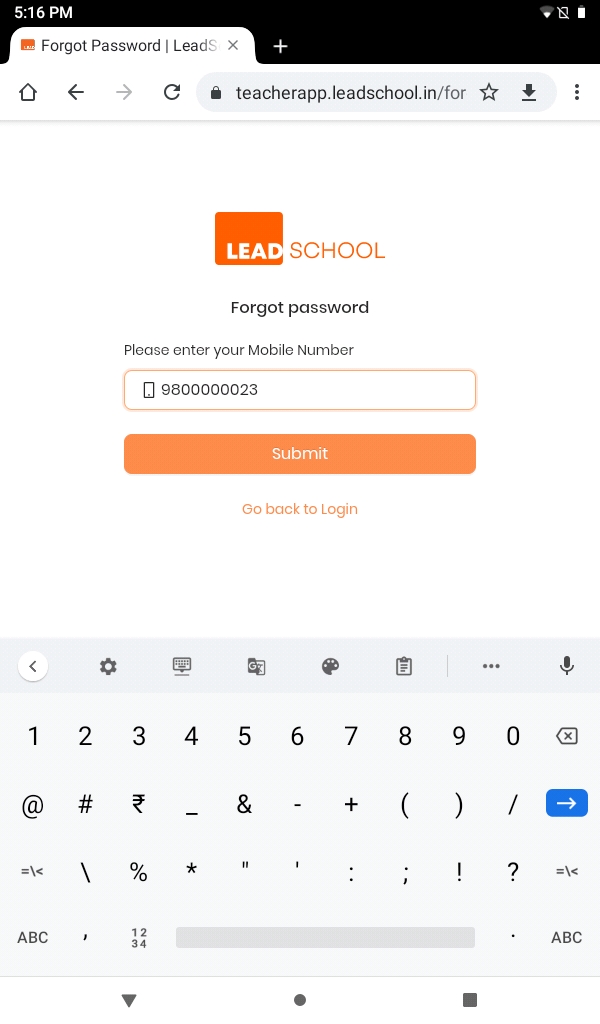
Step 2:Enter your mobile number to receive the OTP (One Time Password) on your registered mobile number.
Step 3:Enter the OTP. Create your password with a minimum of 8 characters, Confirm your password and click on Submit.
Step 4:Enter Mobile Number, Password and checkmark I accept the Terms & Conditions and Privacy Policy for login
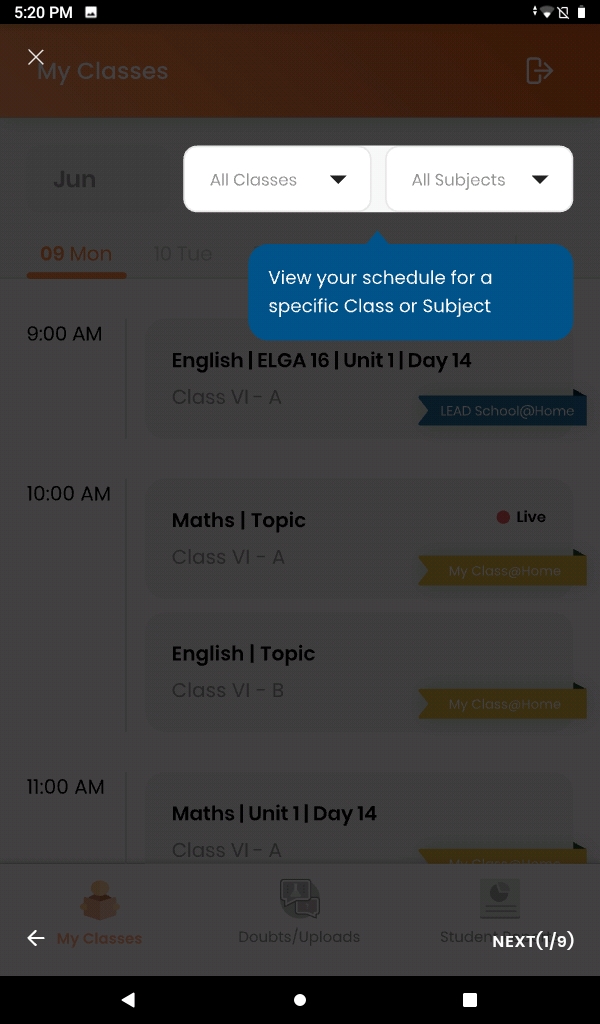
Step 5:Click on Get Started to start your tutorial. Tutorial will help you understand the Teacher Mobile App and how to use it.
Step 6:We have a 9 step tutorial. Click on NEXT to see the next page. After completion click on CLOSE to close your tutorial.