Teacher App
Teacher Mobile App
Nucleus
Parent App
Hardware
CATEGORIES
Getting Started
Home Page
Start Teaching
Chat With Student(Doubts/Uploads)
Creating Assessments
Student Reports
Main Menu
FAQs
Getting Started
Change Language
FAQs
Download and Install App
Login
Attendance
Assessment
Homework
Unit Progress
Media
Class Timetable
Academic Calendar
Notice
Attendance Plan
Chat With Students
Create Assessment
TMA FAQ
Geetting started with TMA
Help and Support for TMA
TMA Home Page
TMA Mein Menu
Modify Timetable
My Paused Classes
Start Teaching with TMA
Student Reports on TMA
Getting Started
Start Teaching
Taking Attendance
Viewing and Analysing Reports
Sync Data and Update Plans
Common Resources
Working in Training Mode
Updating the Teacher App
FAQs
Installation
Login Procedure
Main Menu and Navigations
Selecting Class, Divisions and Subjects
Preparing For Unit
Starting a Unit
Sync Saved Data
Update Students
Reset Tablet
Lead Common Resources
LEAD Content Box
Day Plan
Preparing for Resources
Preparing for Day Plan
Preparing for LO & LIs
Resources
Assessment
LO & LIs
Familiarising with Teach Dashboard
Login and Getting Started
School Onboarding
School Startup
School Administration
School Configuration Settings
School Reports
Managing SMS credits
Managing Teacher Feedback Data
Manage Users
Other Options
Help & Support
FAQs
Add/Remove Classes & Subjects
Add/Remove/Edit Students
Add Students
Add Teachers Details
Agreement Information
Assessment Remedial Data
Class Teacher Allocation
Creating Trouble Ticket
Download Answer Keys
Download Printable Resources
ELGA Gap Report
ELGA Grouping
Generate New Password
Login Page
Manage Class Observation Data
Manage ELGA Promotions
Manage KURPC Data
Manage School Setup
Manage Teacher Timeliness Data
Managing Employees
Managing media
Managing Resources
Managing Students
Managing Teachers
My Schools Menu Page
Order Management
Order Placement
Academic Dashboard(For Admin)
BOY Gap(For Admin)
Demo Users(For Admin)
Enrollment(For Admin)
Other Menu Options (All Schools)
Student Attendance(For Admin)
Student Performance(For Admin)
Teacher Performance(For Admin)
Parent App Usage Data
Payments
Principal Dashboard
Schedule B.O.Y.
School Setup
School Setup Configuration
Sending Notice/Circular
Setup Academic Calendar
Student Attendance Data
Student Enrollment Data
Student Performance Data
Students Reports
Subject Teacher Allocation
Teacher Performance Data
Teacher Reports
Updating School Profile
Weekly Excellence Data
View Boy Details
Manage Class Divisions
View ELGA Grouping Result
Add New Students
Manage Notice
Teacher Details
Accessories
TV Kit
Projector Kit
Local Resources Box
Connection Videos
FAQs
Normal TV with HDMI & USB Port
Smart TV with Cast Feature
Android TV with Built-In Chromecast
Projector with HDMI & USB Ports
Projector with HDMI Port only
Projector with only VGA Port - Female
Projector connected with VGA cable (Male-Male)
Tablet to Sansui Television
Tablet to Vidstar Television
Tablet to TCL Television
›
‹
My Paused Classes
Teacher can pause leadschool@home classes, if she need some extra days to catch up. Teacher can pause for classes scheduled tomorrow onwards.
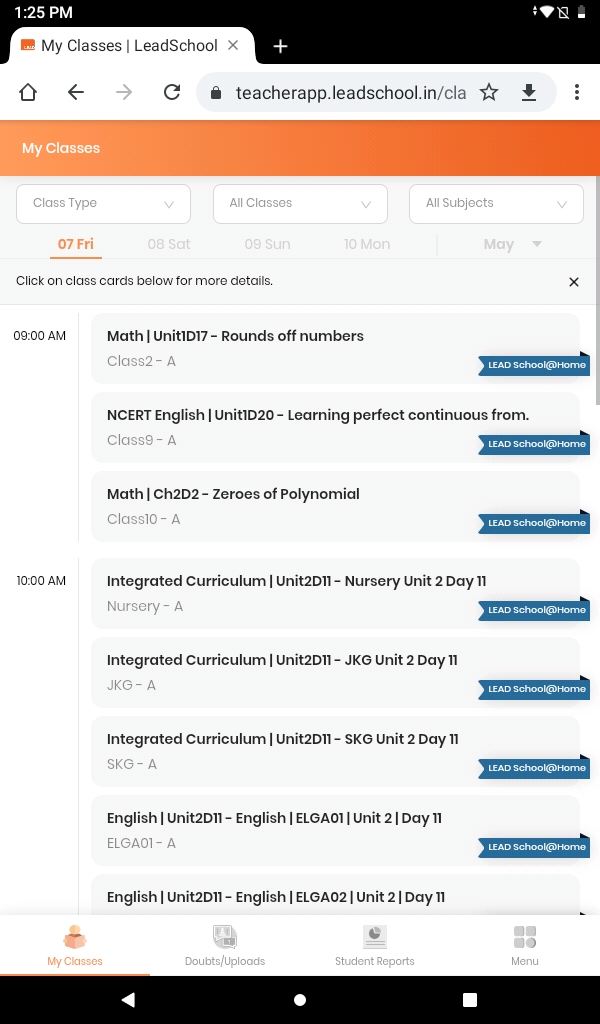
Select your class from
My classes
page.
Click on the
Pause
button to pause the class.
Select the
End Date
and enter
Instructions
for student
Entered instructions will be sent on
Lead Student and Parent app
.
Teacher can extend or end paused class also.
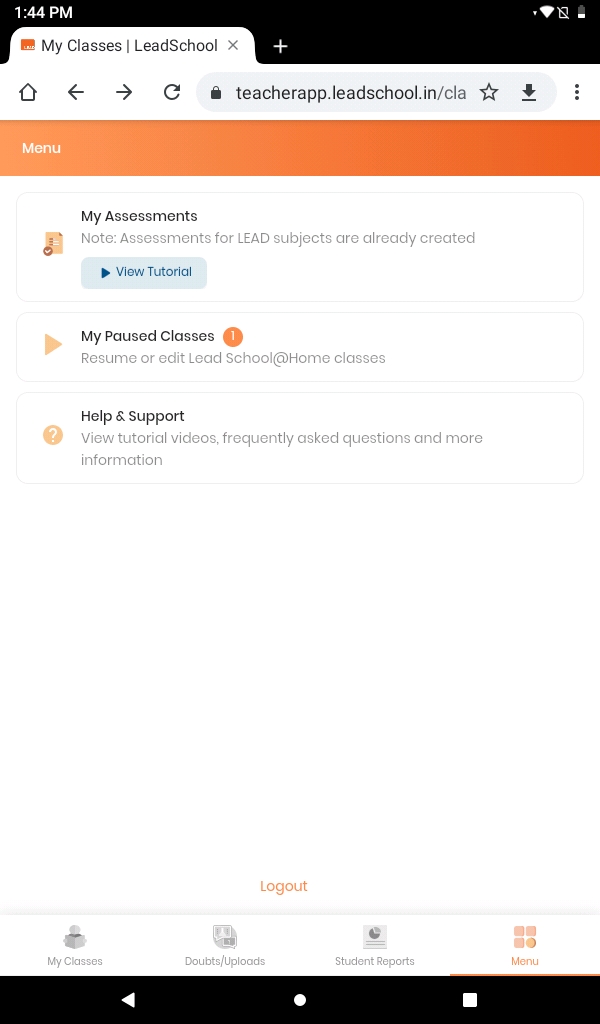
Click on the
Menu
and select
My Paused Classes
.
If you want to extend the class then click on
Extend
. By clicking on
Resume
you can resume classes from tomorrow.
If you click on
Extend
then you need to select the
End Date
again.
Enter student instruction and click on
Save Changes
.
Click on
Resume class
if you want to end the pause time and resume the classes.