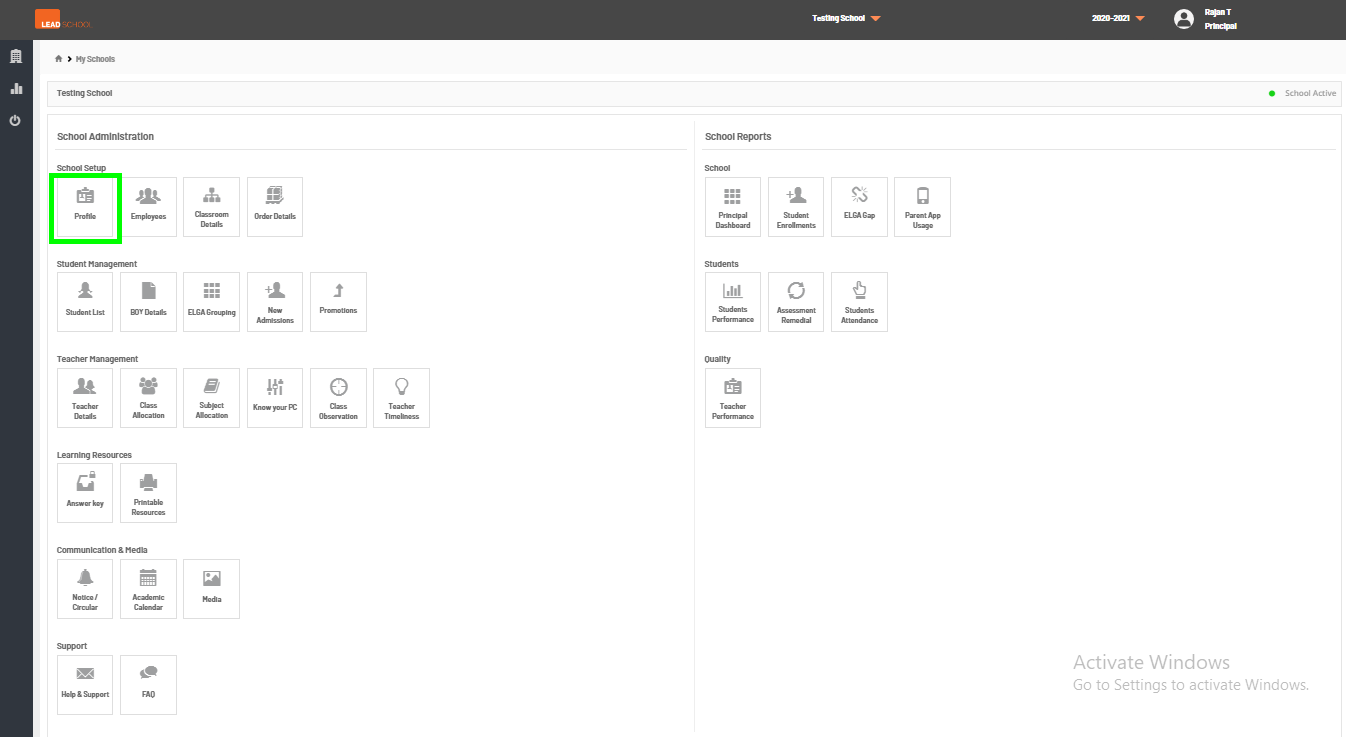
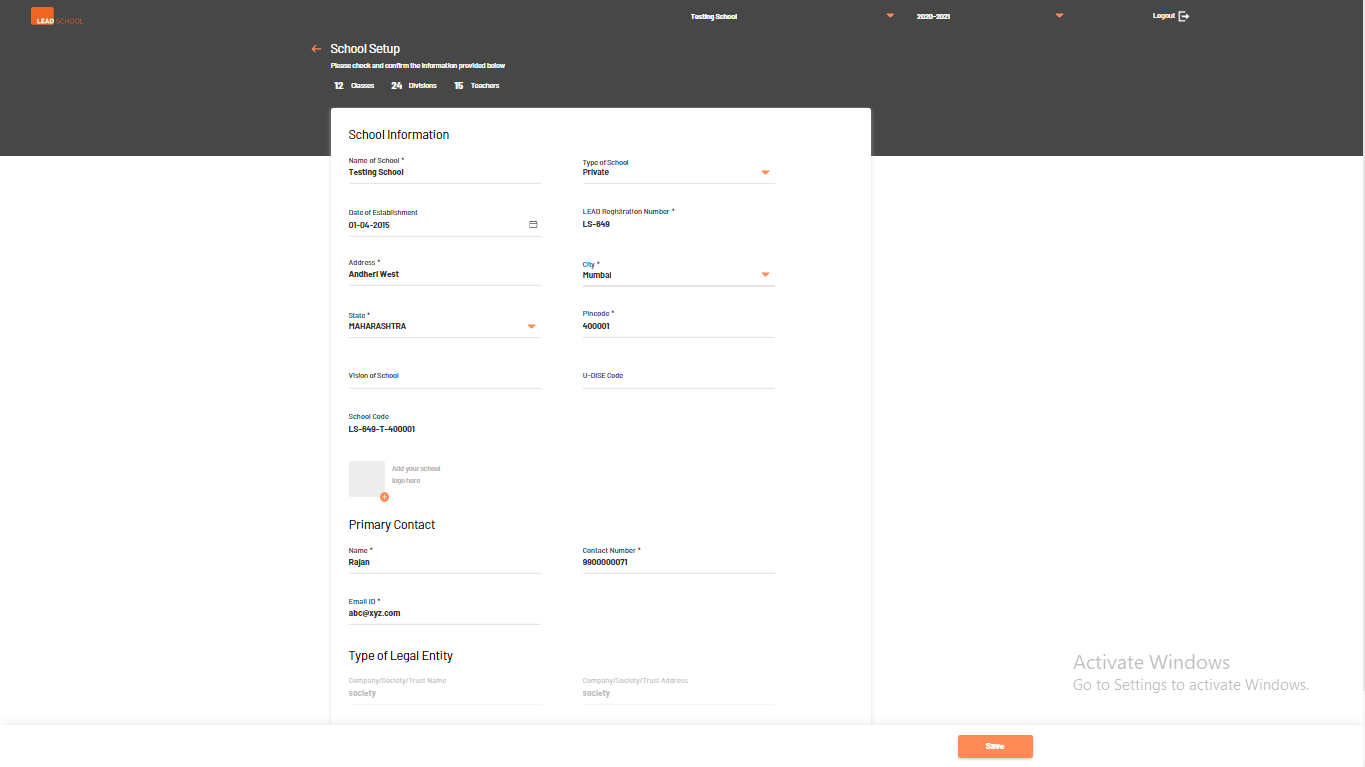
To edit school profile navigate to School Administration → School → Profile. This page contains school details, such as, school name, contact details, mission, vision, address, etc. The school can view these details anytime by visiting the Profile page. If required, the school can change some of the details on this page.
Step 1: Go to Profile tab
A school can change the details given below :
Mission, Address, Pincode, City, State, Vision, Established (date), Admin Telephone, Telephone 2, Email and Website.
A school cannot change the details given below. If any changes are required, contact the support team.
Name, Cluster, DISE ID, Type of School, the Name of the Trust.