

Student Reports
- Click on the Student Reports from the bottom drawer.
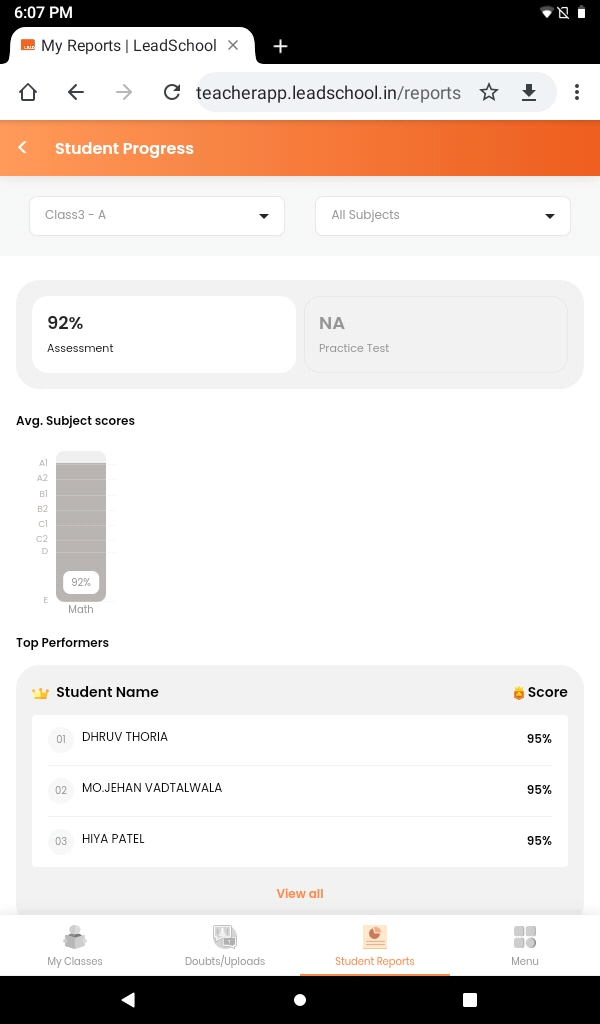
- Learning Progress shows the student performance.
- Attendance report shows the student attendance.
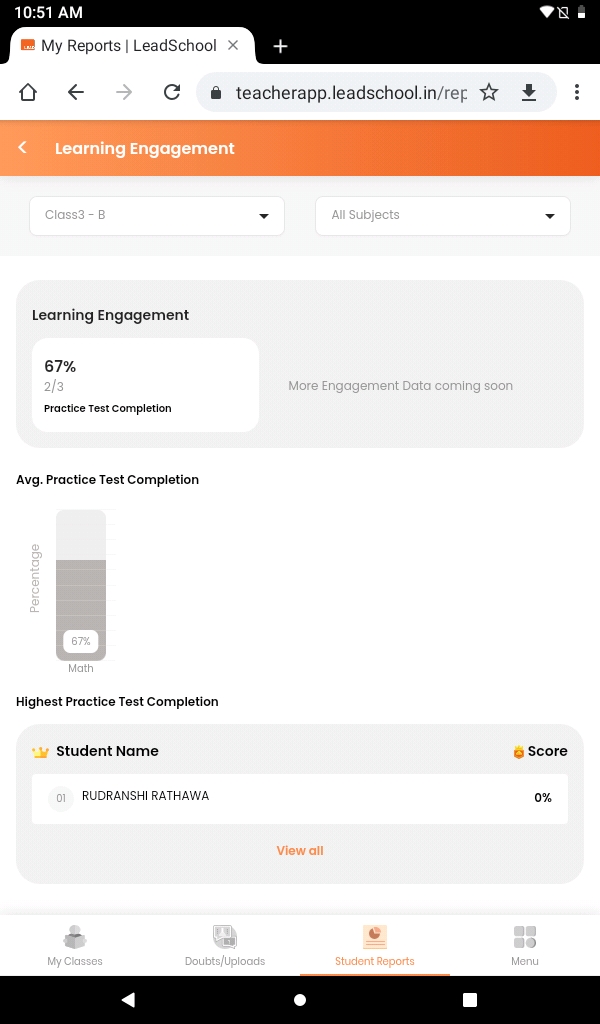
- Learning Engagement shows the quiz and practice completion.
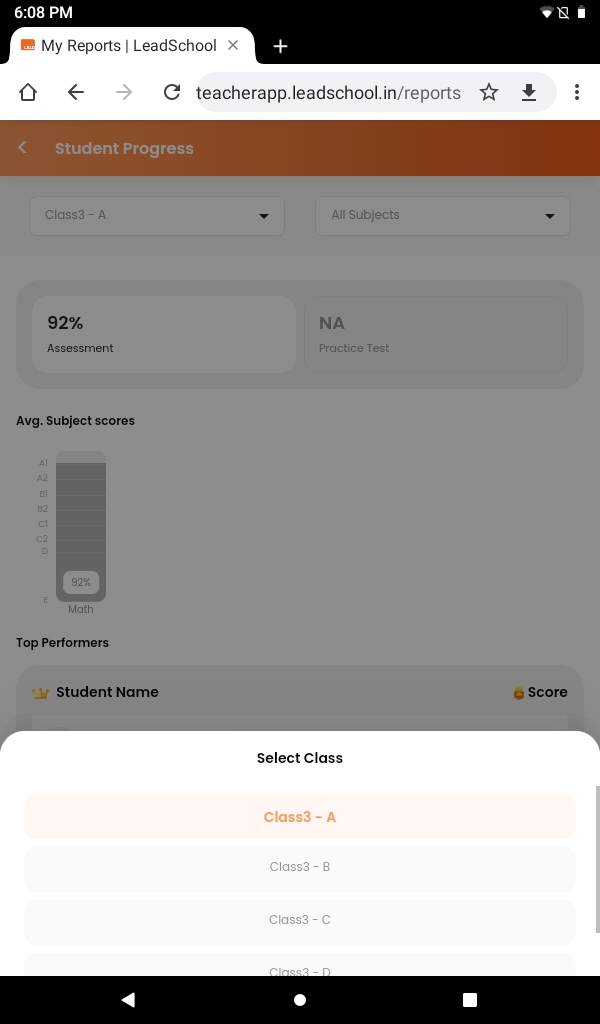
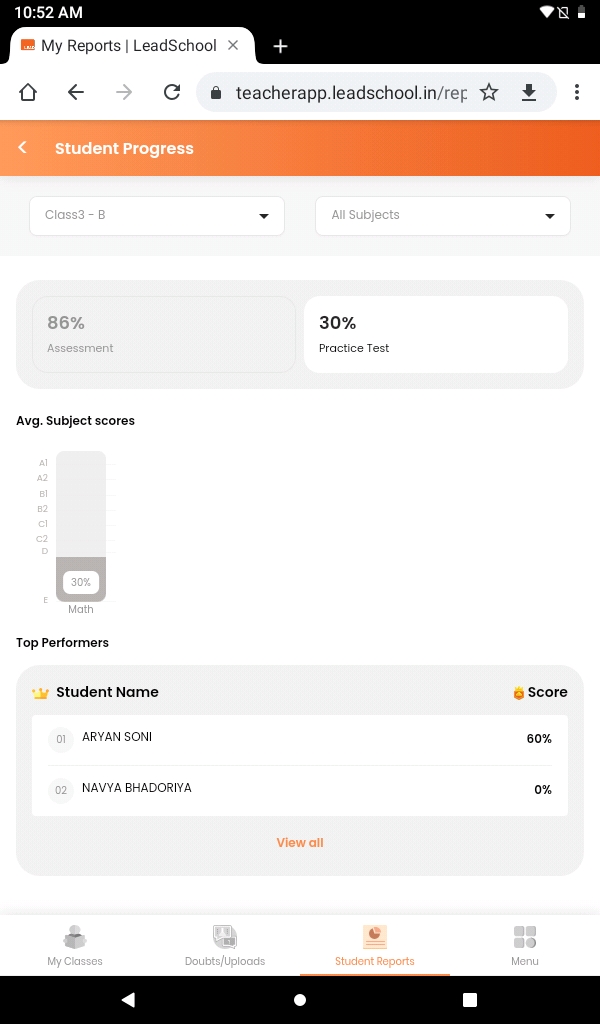
- You can select class and subject from the dropdown from the top.
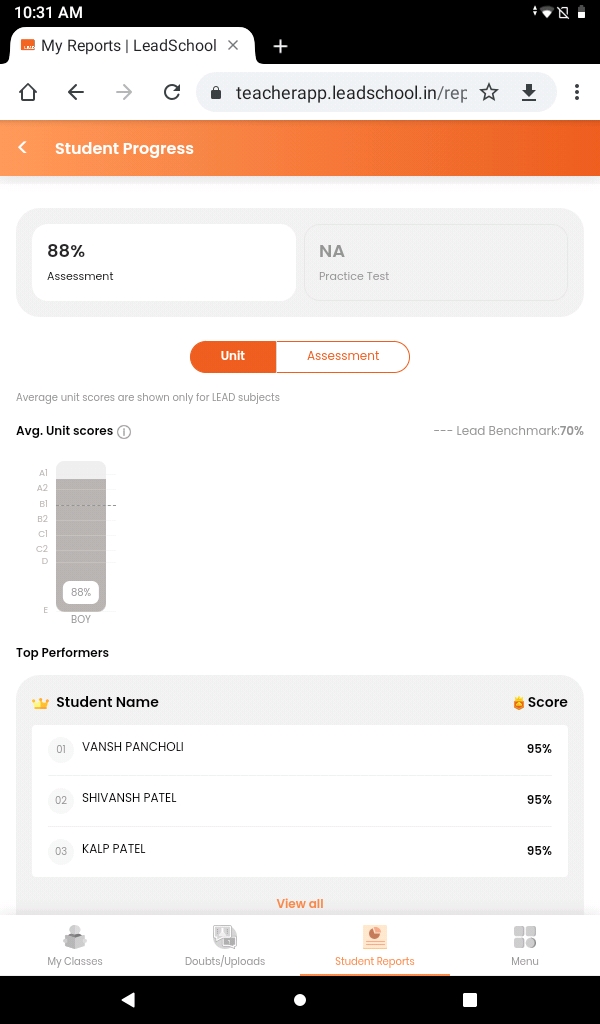
- Click on Assessments to check the assessments marks.
- You can selecy Unit or Assessment .
- Practice test marks also visible on this page.
- Lead benchmark show the student growth.
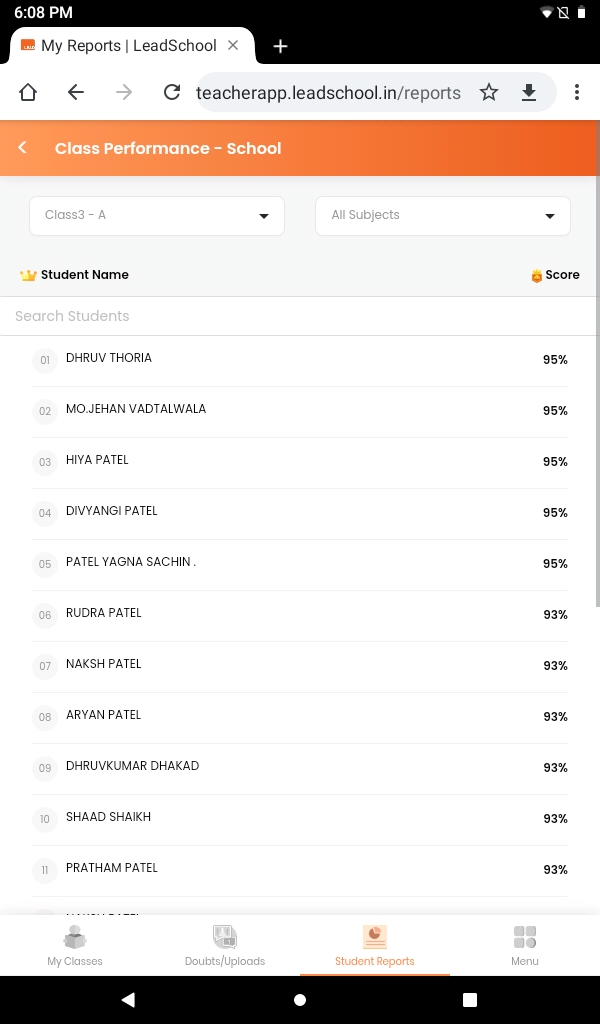
- Click on View all to see all the students in the class.
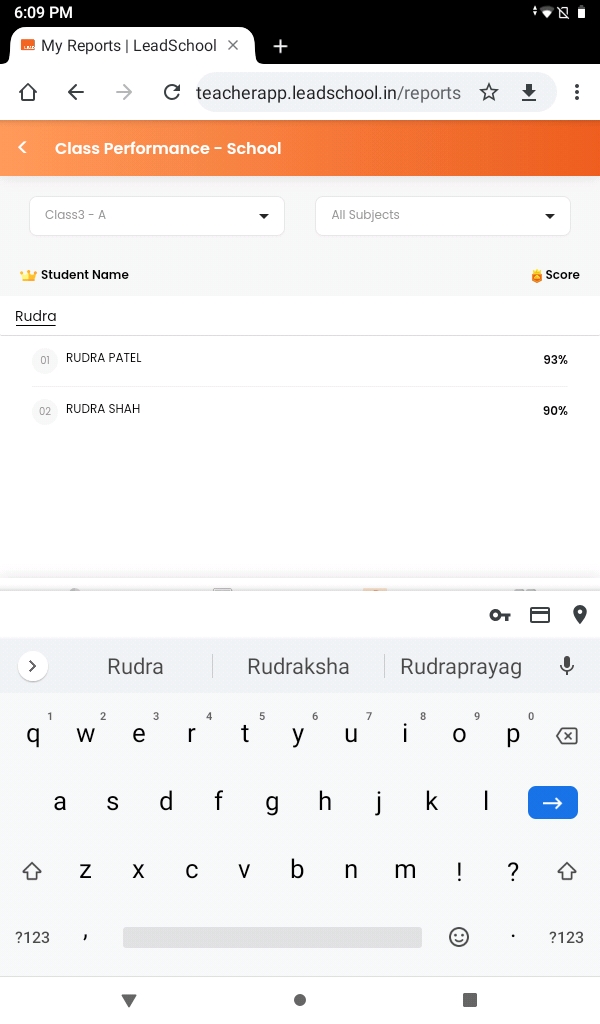
- You can also search the student name from list.
- Click on the Learning Engagement to check the student performance in quiz.and practice test completion.
- You select class and subject from dropdown at the top.
- Highest scorer will come on top.

|

|
|---|

|
|
|---|
|
|
|---|
|
|---|