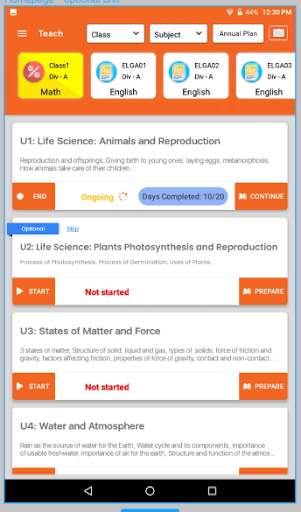
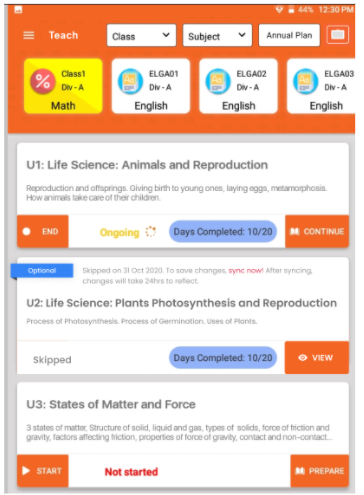
Skip Unit
- Teacher can skip unit if unit is marked as Optional once skipped that unit still be visible but teacher will not be able to complete or mark any day as done. Teacher can skip optional unit at any point. If teacher has started the optional unit and still want to skip unit she can do that as well.
- Once skipped unit teacher will not be able to go back and start the unit again.
- Click on the Skip next to Optional tagg.
- You will receive a pop-up for confirmation. Click on Skip or Cancel if you want to cancel this action.
- As you click onSkip. Optional unit will show message indicating that skip date and tab need to be synced.
- Teacher will still be able to see all the days by clicking on View.