Skip Assessment
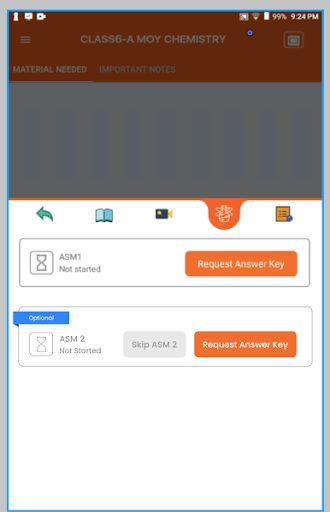
- Teacher's can now skip assessment by clicking on the Skip ASM button. If Assessment is optinal thenOptional button will get displayed on the assessment. If teacher want to continue with that assessment as well then need to click on theRequest Answer Key to go to next step.
- Click on the Assessment section and select check if assessment is marked as optional or not.
- If you want to skip the assessment then click on Skip ASM.
- You need to SYNC the teacher tab to save these changes. After sync this optional assessment will get marked as skipped and will display skip date as well.